Contents
- Before you write: decide the one job of each email
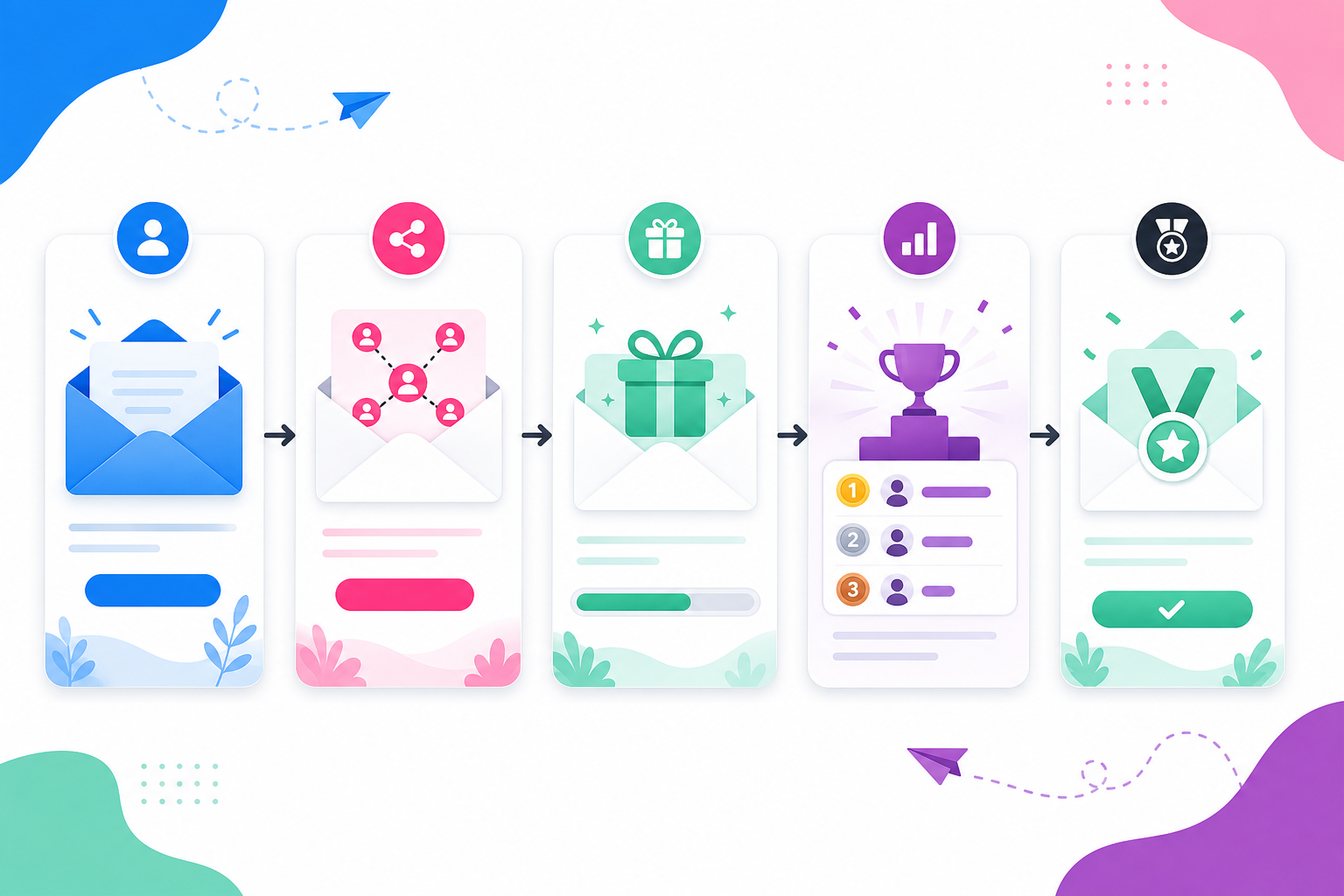
- Email 1: The instant thank-you email
- Email 2: The referral reminder
- Email 3: The prize reminder
- Email 4: The leaderboard or progress update
- Email 5: The achievement unlocked email
- A simple giveaway email schedule
- Choose the right giveaway format
- Build the relationship while the giveaway is hot
Your giveaway signup is not the finish line. It is the first useful moment.
Someone just gave you their email because the prize was interesting enough to stop scrolling. If your next move is silence, you trained that lead to forget you.
Quick answer: A strong giveaway email sequence should welcome the entrant immediately, explain how referrals or bonus entries work, remind them why the prize matters, show their leaderboard or reward progress, and trigger a milestone email when they unlock something. The best sequence is short, clear, automated, and tied to one action per email: enter, share, return, refer, or claim.
KickoffLabs gives you the pieces to do this without duct tape: email automation, contest actions, leaderboards, reward levels, and referral links that track who brought in whom.
Below are five templates you can adapt for almost any sweepstakes or giveaway. I’ll use a simple yoga pants giveaway as the example, but the structure works for software launches, creator drops, e-commerce bundles, and local promotions.
Before you write: decide the one job of each email
Most giveaway emails fail because they try to do everything at once.
Thank the entrant. Explain the rules. Sell the product. Ask for referrals. Mention every prize. Add three social links. Include a video. Then everyone wonders why nobody clicks.
Give each email one job:
- Confirm the entry.
- Explain how to earn more entries.
- Remind them what they can win.
- Show progress and give a simple sharing prompt.
- Celebrate a reward or milestone.
That is enough. You are building momentum, not writing a newsletter anthology.
Email 1: The instant thank-you email
Send it: Immediately after signup.
This email confirms the entry and tells the participant what to do next. Keep it short. The person is still warm from entering, so do not waste the moment with a generic “thanks for joining our community” paragraph.
If your giveaway includes referrals, explain the referral link right away. People cannot share what they do not understand.
Subject line: You’re in — here’s how to get more entries
Template:
Hi [First Name],
You’re officially entered to win [Prize].
The winner will be picked on [Date]. We’ll email the winner directly, so keep an eye on this inbox.
Want more chances to win? Share your unique link with friends. Every friend who joins through your link gives you [number] extra entries.
Your link: [Referral Link]
Good luck, [Brand]
Why it works: It confirms the entry, sets expectations, and introduces the viral loop in plain English.
If you are using KickoffLabs, this is where your unique referral link does the work. Every entrant gets a trackable link automatically, so referrals are credited correctly.
Email 2: The referral reminder
Send it: Two or three days after signup.
People mean to share. Then life happens.
This email gives them a reason to come back and one easy action to take. Do not scold them for not sharing. Give them a shortcut.
Subject line: A faster way to earn more entries
Template:
Hi [First Name],
Quick reminder: you can still earn more chances to win [Prize].
Share your link with one friend who would actually want this. That’s it. No spam blast required.
Your link: [Referral Link]
Easy copy/paste message:
“I entered to win [Prize] from [Brand]. Thought you’d want in too: [Referral Link]”
Every confirmed signup through your link gives you [number] extra entries.
Why it works: You remove the work. The entrant does not have to invent the message, find the link, or remember the rules.
This is also a good place to point people toward high-value actions, like following your Instagram account, watching a product demo, or joining a newsletter. Use contest actions to give each action a clear value.
Email 3: The prize reminder
Send it: Five days after signup, or halfway through the campaign.
People forget prizes faster than marketers want to admit.
This email brings the prize back into focus. It should make the prize feel specific again, not just say “don’t forget to enter.”
Subject line: Still thinking about [Prize]?
Template:
Hi [First Name],
Quick prize reminder: you’re entered to win [Prize].
Here’s why people want it: [one specific benefit].
If you win, you’ll be able to [simple outcome].
Want a better shot? Share your link before [Deadline]:
[Referral Link]
We’ll pick the winner on [Date].
Why it works: You are not sending “just checking in.” You are reselling the value of the prize and pointing back to the referral action.
One warning: do not invent testimonials here. If you have real reviews, use them. If you do not, write about the prize benefits without pretending a customer said something.
Email 4: The leaderboard or progress update
Send it: Seven to ten days after signup, or whenever progress changes.
Progress emails work because they make the giveaway feel alive.
If you run a leaderboard giveaway, show the participant where they stand. If you run reward tiers, show what they have unlocked and what is next.
Subject line: You’re close to the next reward
Template:
Hi [First Name],
You currently have [Entries or Points].
The next reward unlocks at [Milestone]. You need [Number] more confirmed signup(s) to get there.
Here are three fast places to share your link:
- A group chat where this prize makes sense.
- Your Instagram story.
- One friend who always enters this kind of thing.
Your link: [Referral Link]
The campaign ends on [Date], so now is the time.
Why it works: Specific progress beats vague encouragement. “You need two more referrals” is more motivating than “keep sharing.”
KickoffLabs can automate these nudges with reward levels and email triggers, so you are not manually checking spreadsheets at midnight like a raccoon with Wi-Fi.
Email 5: The achievement unlocked email
Send it: As soon as someone hits a reward milestone.
This is the most satisfying email in the sequence. Treat it like a tiny celebration.
If the reward is a coupon, bonus entry, downloadable perk, or early-access invite, deliver it immediately. A reward that arrives late teaches people not to trust the next milestone.
Subject line: Reward unlocked 🎉
Template:
Hi [First Name],
You did it. [Number] friends joined through your link, so you unlocked [Reward].
Here’s your reward: [Coupon Code / Access Link / Instructions]
And yes, you can keep going.
Refer [Number] more friend(s) to unlock [Next Reward].
Your link: [Referral Link]
Nice work, [Brand]
Why it works: It closes the loop. The participant did the action, got the reward, and now understands the next step.
For coupon-based rewards, KickoffLabs supports unique coupon-code delivery through automated emails. That keeps fulfillment clean and prevents one code from getting passed around the internet.
A simple giveaway email schedule
Here is the sequence I would start with for a 14-day giveaway:
| Day | Goal | |
|---|---|---|
| Day 0 | Thank-you email | Confirm entry and introduce the referral link |
| Day 2 or 3 | Referral reminder | Give a simple copy/paste sharing prompt |
| Day 5 or 7 | Prize reminder | Rebuild desire for the prize |
| Day 8 to 10 | Progress update | Show points, entries, leaderboard rank, or next reward |
| When triggered | Achievement unlocked | Deliver the reward instantly |
| Final day | Last-chance reminder | Create urgency before the deadline |
| After close | Winner announcement | Close the loop and tell everyone what happens next |
You do not need to send every email to every person. Segment when you can.
Send referral reminders to people who have not shared. Send milestone emails only to people who earned them. Send winner announcements to everyone so the campaign feels fair and finished.
Choose the right giveaway format
These templates work best when the campaign mechanics are clear.
- Bonus entry sweepstakes — best when you want simple entry plus viral sharing.
- Leaderboard giveaway — best when competition will motivate your audience.
- Waitlist with giveaway — best when you are building pre-launch demand.
- Reward levels — best when you want guaranteed milestones, not just one winner.
The format decides what your emails should ask people to do.
Build the relationship while the giveaway is hot
The best giveaway email sequence does not beg people to remember you. It gives them a reason to come back.
Welcome them. Show the rules. Make sharing easy. Remind them why the prize is worth wanting. Reward action fast.
That is how a one-time giveaway signup turns into a lead you can keep talking to after the winner is picked.
If you want the automation, referral tracking, reward levels, and winner selection handled in one place, build your next giveaway with KickoffLabs. Start with the campaign type that matches your goal, then let the email sequence do the follow-through.