Turn Shopify orders into giveaway entries and referral rewards
Connect your store in minutes and choose how every order scores. Give entries per order, per dollar spent, or by spend tiers that add up, and reward the friend who sent the buyer too, so loyalty and word of mouth grow together.
How does the KickoffLabs Shopify integration work?
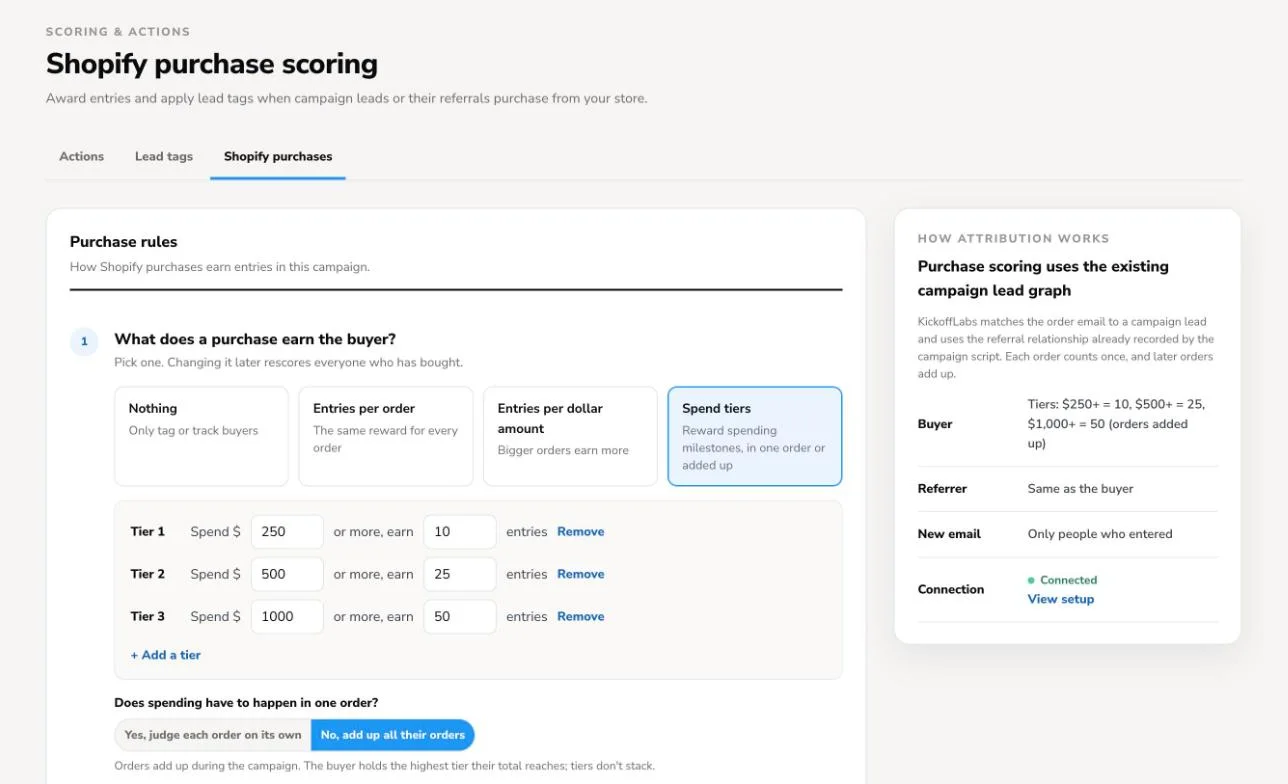
Add your campaign's webhook URL to Shopify's order notifications, save the signing key, and send a test to confirm the connection. Then choose what a purchase earns the buyer (entries per order, per dollar spent or spend tiers), what it earns the friend who referred them, and who can earn. Paid orders score automatically, refunds and cancellations come off, and new buyers get their own share link.
From your newsletter to repeat orders
One campaign turns the subscribers you already have into customers who buy again and bring their friends.
-
1YouSet up the campaign
Pick a rewards club or a giveaway, choose what a purchase earns, and connect Shopify with webhooks.
-
2YouEmail your subscribers
Put an Instant Signup link in your newsletter. One click and they're in, each with their own share link.
-
3CustomersThey shop and share
They buy as usual and send their link to friends. The campaign script carries each referral to checkout.
-
4AutomaticOrders score themselves
Each paid order adds points or entries for the buyer and the friend who sent them.
- Refund or cancellationThe order's points or entries come off.
-
5CustomersRewards and winners
Customers see their total climb on their own page.
- Rewards clubA reward email goes out at each milestone.
- GiveawayPick a winner, weighted by entries.
Two campaigns, from your customer's side
Both pages were built with the KickoffLabs page builder and score Shopify orders with the settings below. The stores are samples.
A rewards club your newsletter can join in one click
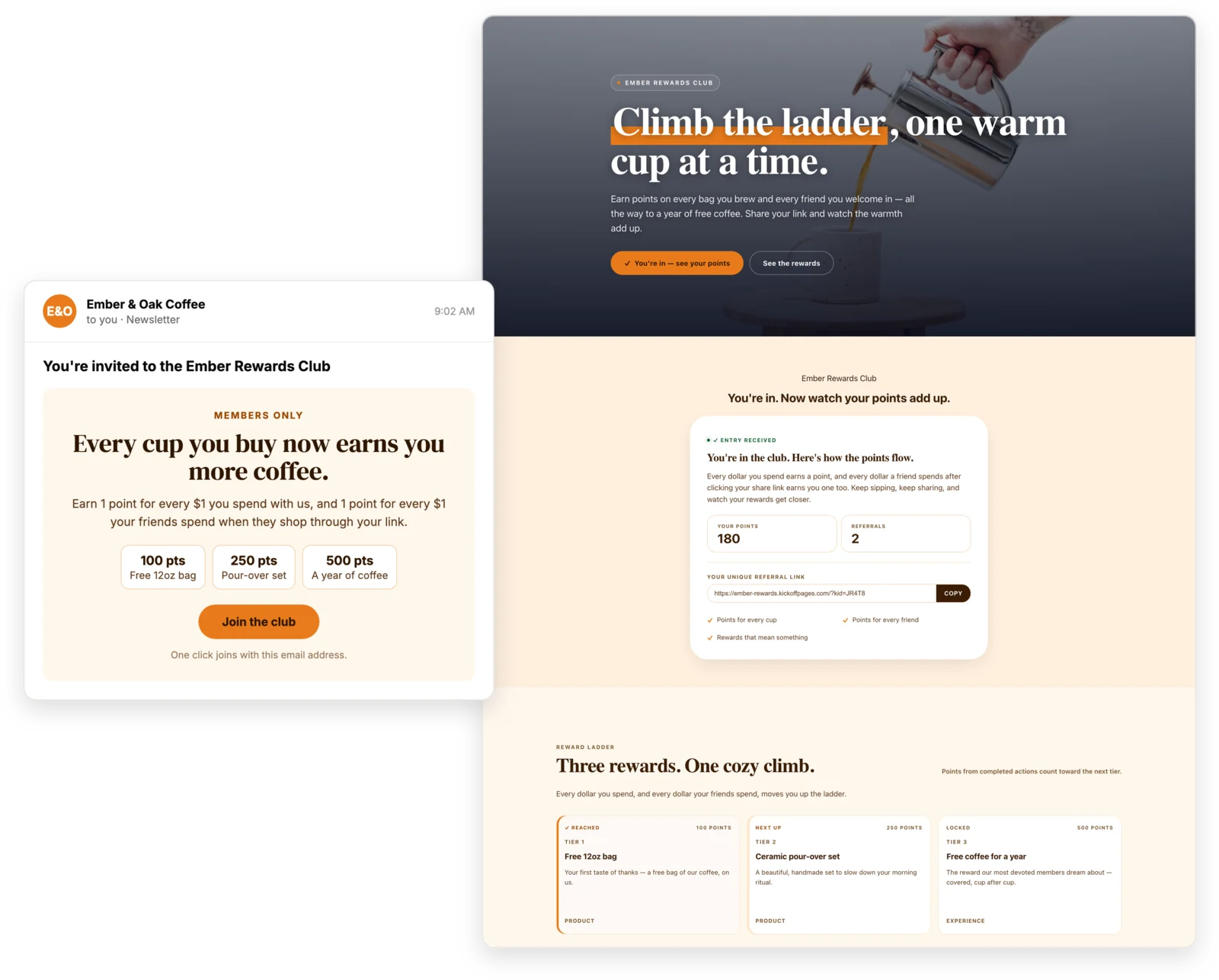
Ember & Oak emails its subscribers an invite. One click joins the club, and every order moves them up a ladder of rewards they can see on their own page.
- Buyer1 point for every $1 they spend
- Referrer1 point for every $1 their friends spend
- RewardsFree bag at 100 points, pour-over set at 250, a year of coffee at 500
A giveaway where every $10 spent is another entry
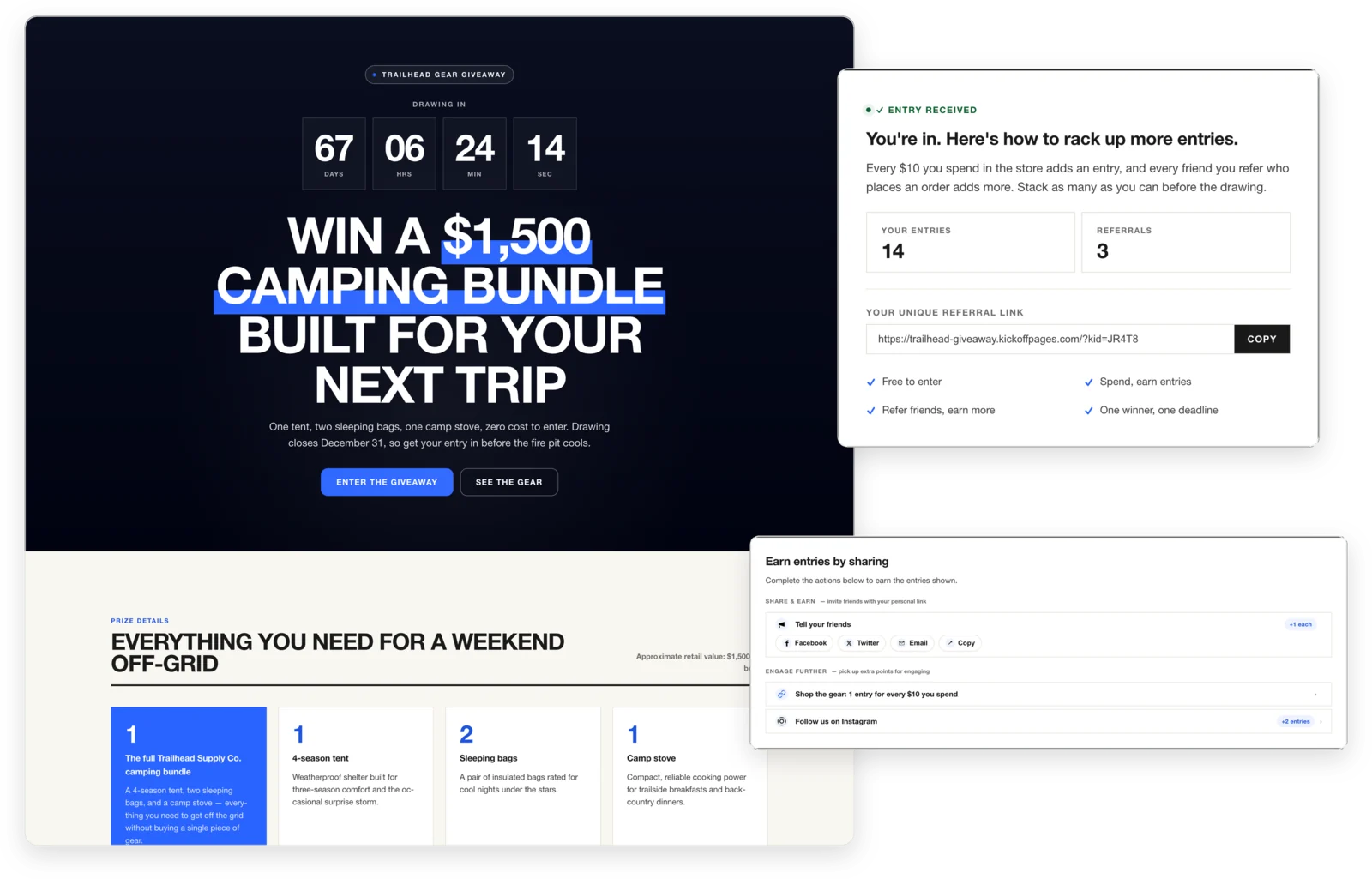
Trailhead Supply gives away a $1,500 camping bundle. Entering is free, then each purchase and each friend's order adds entries before the draw.
- Buyer1 entry for every $10 they spend
- ReferrerThe same entries as the friend who bought
- AlsoEntries for sharing and following on Instagram
Every way to reward a purchase
Pick one mode for buyers and one for the friends who referred them. Change it any time and everyone who has bought is rescored.
Three questions decide how every order scores
The settings read like a conversation. Answer them once and every paid order, refund and cancellation is handled for you.
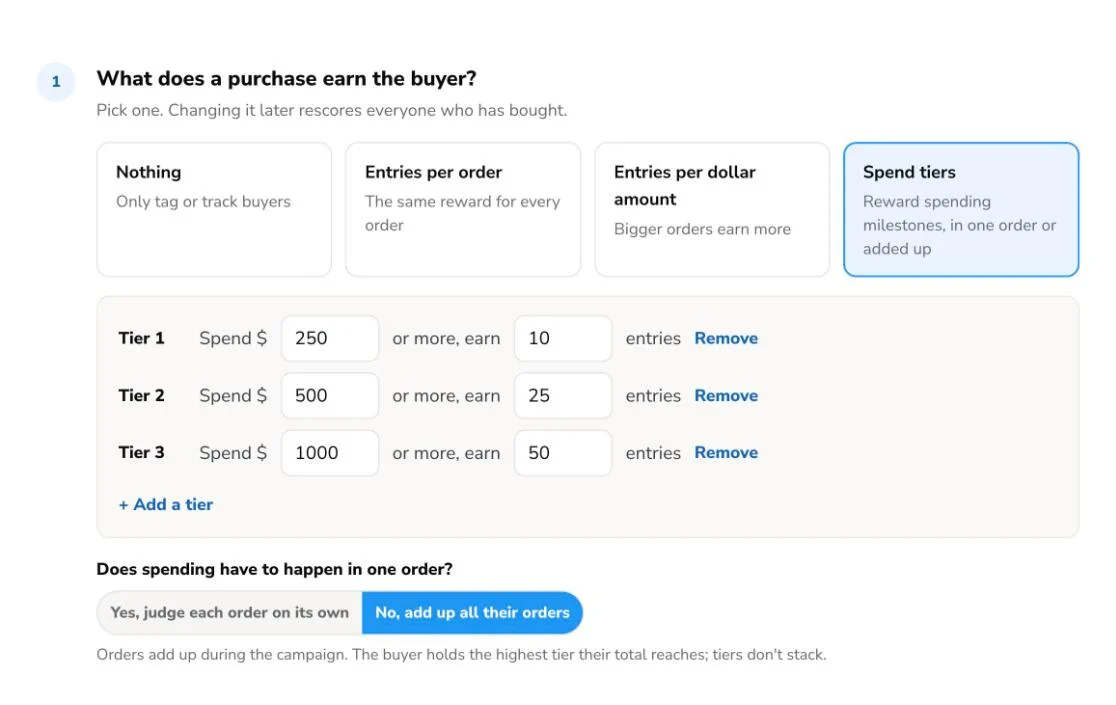
What does a purchase earn the buyer?
Choose nothing, entries per order, entries per dollar amount, or spend tiers. Edit up to four tiers and decide whether spending has to happen in one order or adds up across the campaign. Spend is the order subtotal, before shipping and tax, less any refunds.
Customers earn for every dollar their friends spend
Go beyond basic loyalty rewards. When a shopper arrives through a friend's share link, the friend earns too, with the same reward as the buyer, a fixed bonus per order, or entries for every dollar spent. The campaign script carries the referral to checkout, from the cart page or a cart drawer.
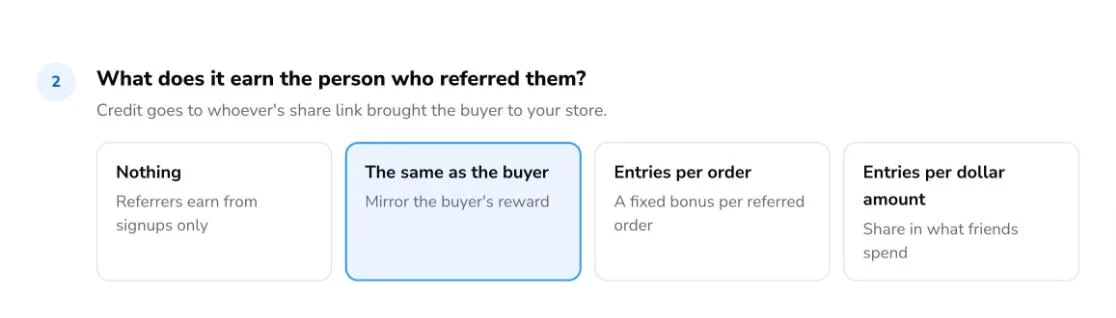
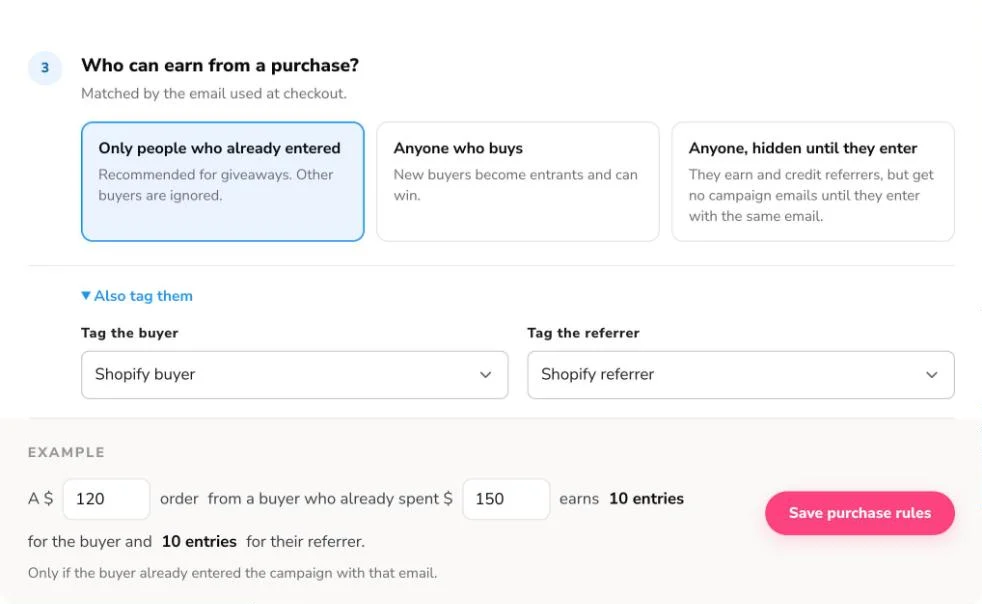
Decide who can earn, and see what an order earns
Count only people who already entered, add every buyer as a new entrant, or track new buyers quietly until they enter with the same email. Tag buyers and referrers, and check the live example before you save.
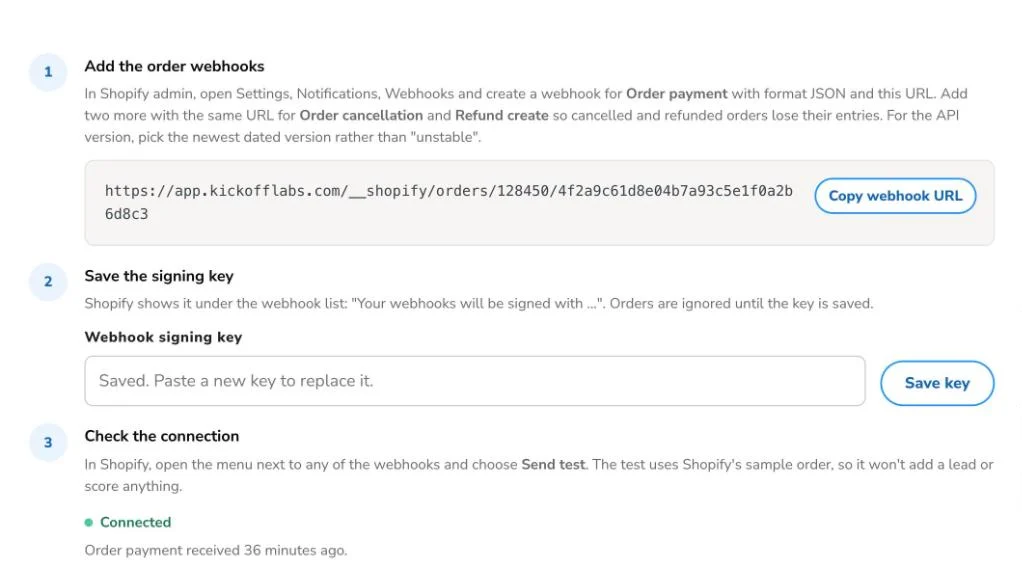
Connect with Shopify webhooks. No app to install.
Add the campaign's webhook URL to Shopify for paid, cancelled and refunded orders, and save the signing key. Every order is verified with Shopify's signature and counted once, and its entries come off again if it's cancelled or refunded. Send a test from Shopify and the status turns Connected.
We make your shop easy to share
Everyone gets a unique link to share and a page to check their points, along with the rewards you're offering for taking part.

Invite your existing email subscribers
Add an Instant Signup link to your newsletter so subscribers join your rewards program in one click.
About Instant Signup
Keep them engaged with automated reward emails
Customers stay engaged as they earn points, with automated campaign emails from KickoffLabs designed to keep them sharing.
About campaign emails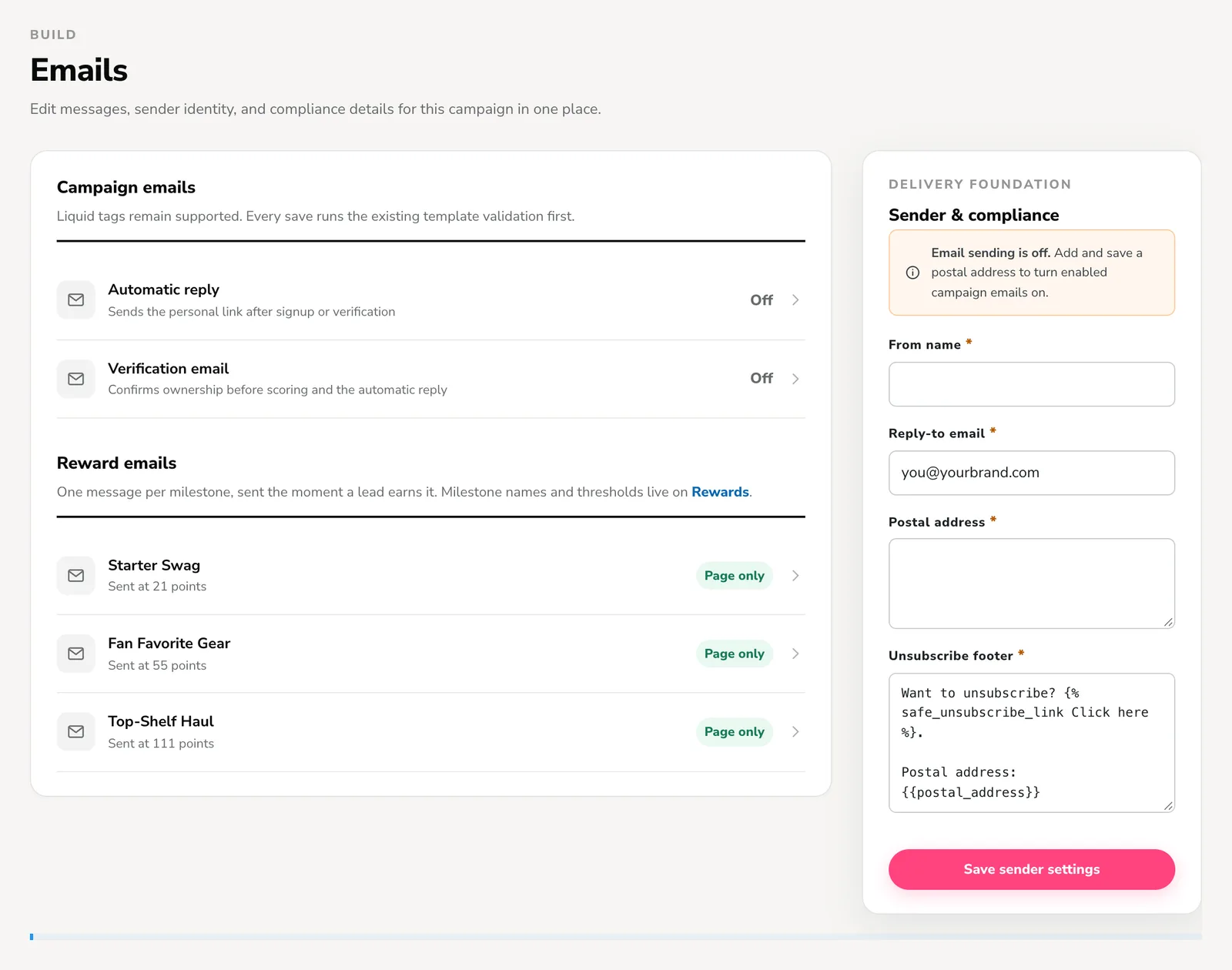
Start from a template built to drive sales
Each template turns purchases and referrals into points. Try a demo before you build your own.
Customers unlock rewards with points earned per dollar spent by themselves or friends. Proven by Harry's.
View demoPurchases and referrals earn entries that increase the odds of winning regular competitions. Proven by MailChimp.
View demoCustomers move up the leaderboard with purchases, follows or getting friends to buy. Proven by Jet.
View demo
“We were pleased to find such a powerful viral tool for non-technical people like me. During our 8-week campaign, we captured more than 10,000 leads! There was an incredible response and sales went faster than we expected.”
Related features
Shopify purchase rewards questions
Do I need to install a Shopify app?
Can entries add up across several orders?
What happens when an order is refunded or cancelled?
Do referrers get credit when a friend buys?
What if someone buys but never entered the giveaway?
Does Shopify's Send test add a fake entrant?
Do purchase entries count when I pick a winner?
Turn your next order into your next entrant
Connect Shopify, pick a reward mode, and start rewarding customers for every dollar they and their friends spend.