Add contest emails to your next viral marketing campaign
Automated contest emails that say thanks, deliver opt-in rewards, drive referrals and keep participants engaged for your entire campaign. Add names, scores and one-tap share buttons right from the editor, no code needed.
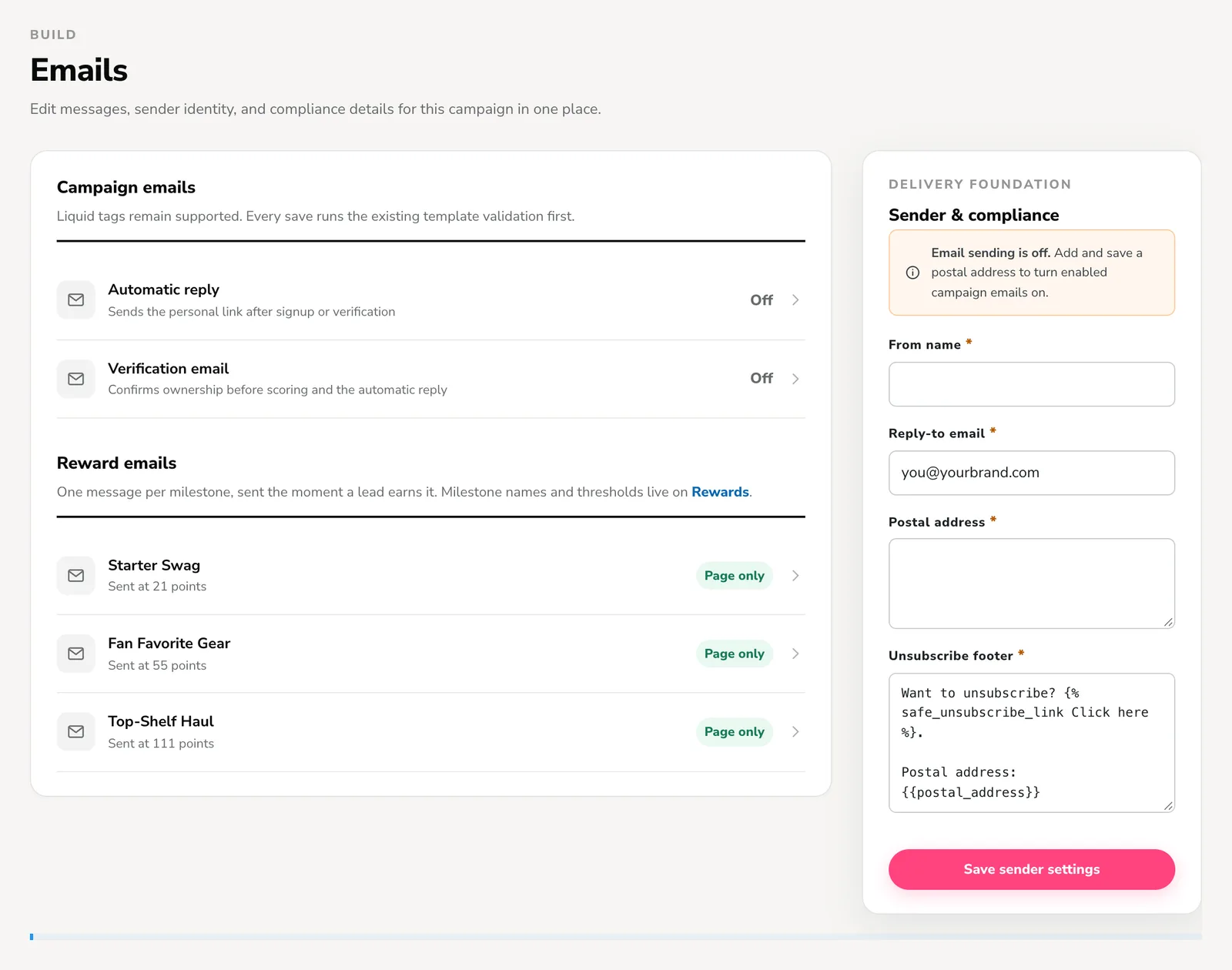
Built-in emails for every stage of your campaign
Talk to leads at every step, from signup through reward delivery and re-engagement. Every email automatically includes the lead's personalized referral link to keep the sharing going.
The right email at the right moment
Every message is written in a visual editor that fills in each lead's details and gives them buttons to share their personal link.
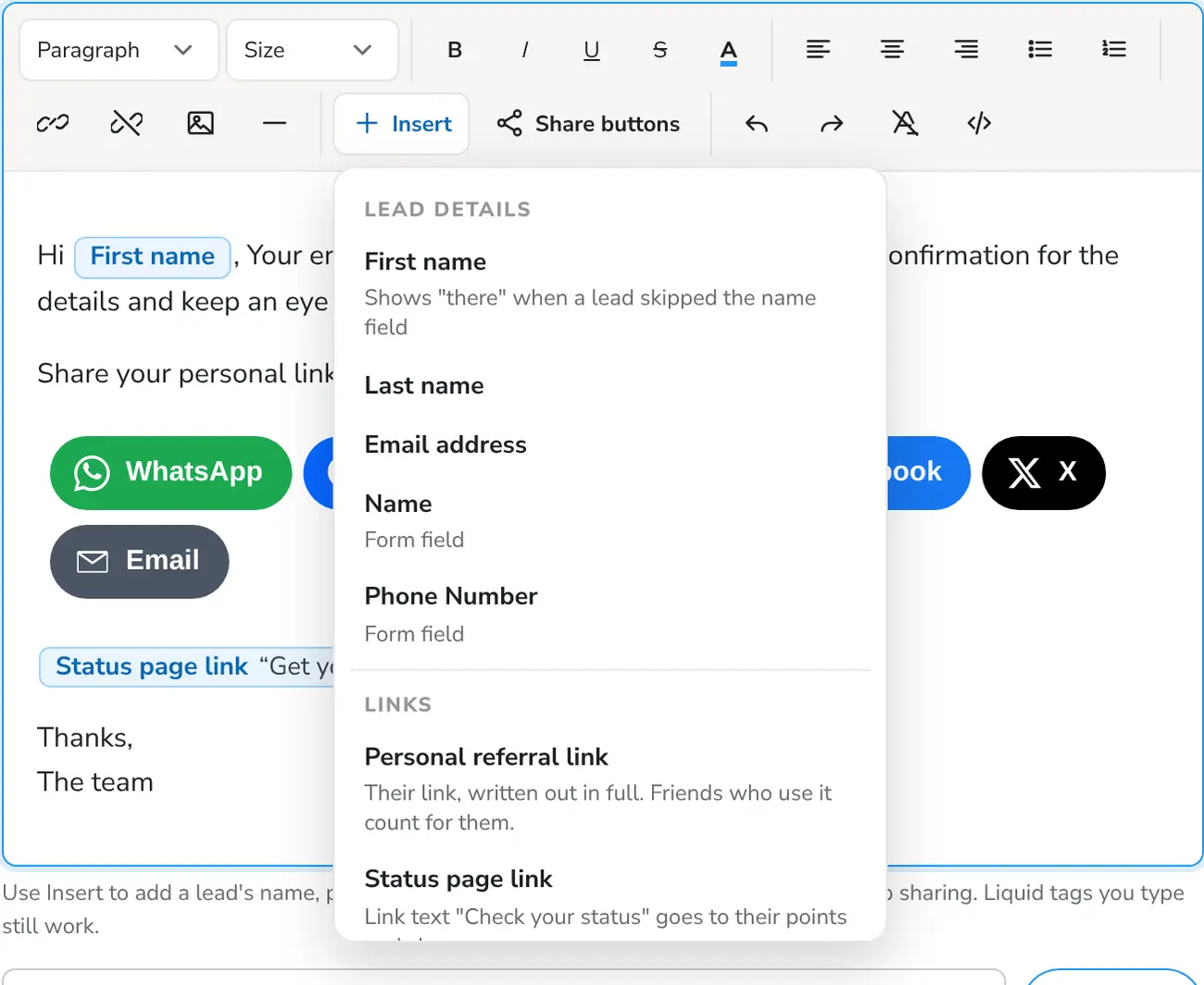
Personalize every email without touching code
Pick what you want from the Insert menu and it drops into your message. Add a lead's first name (with a friendly fallback when they skipped it), any field from your signup form, their points, leaderboard place, signup position, friends referred, coupon code, personal referral link or a link to their status page. Each one shows in the editor as a named chip like "First name", so your draft reads like the email your leads will get. Prefer typing tags? They still work.
Share buttons for the apps your leads actually use
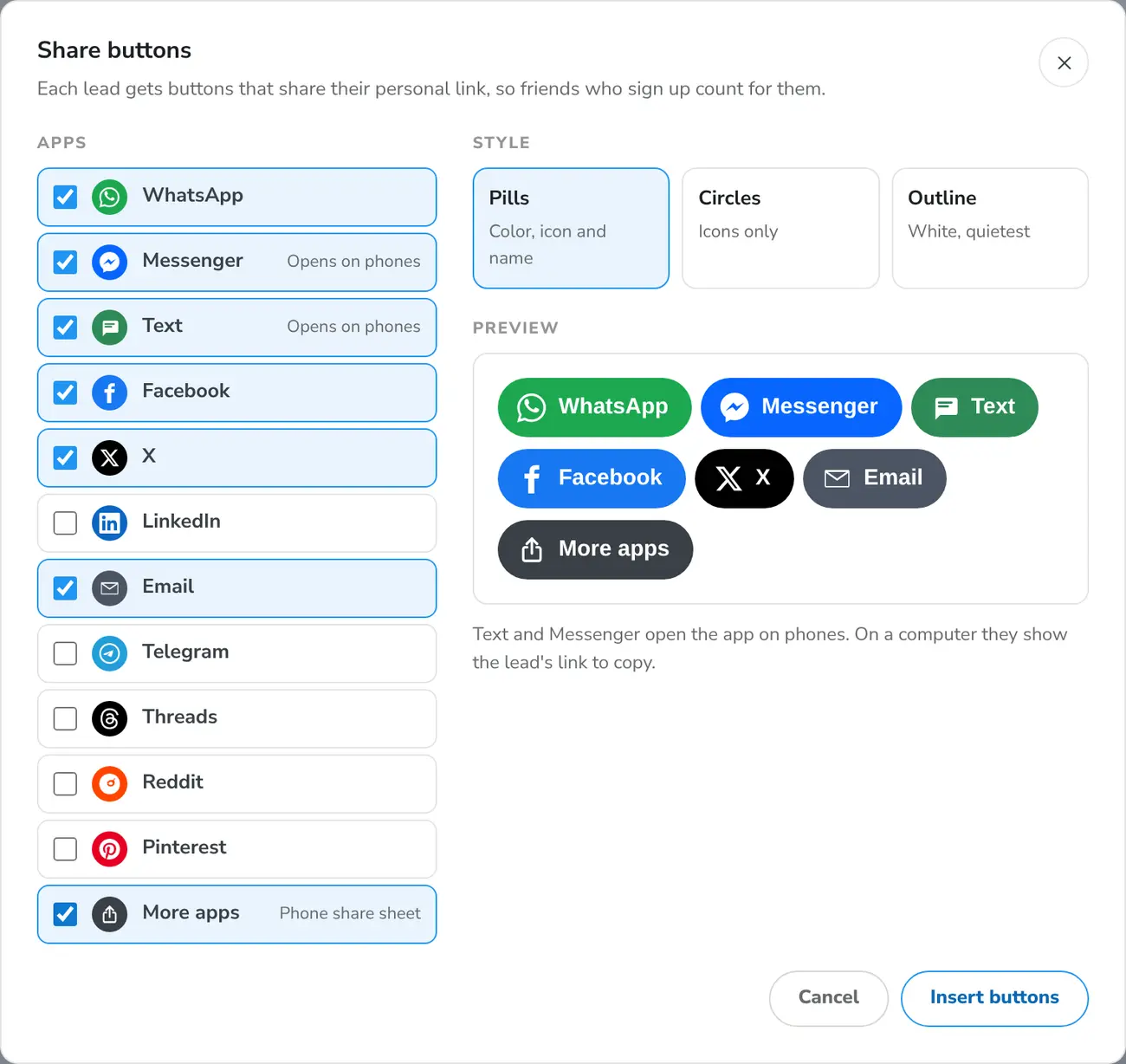
Choose Share buttons, tick the apps and pick a style. Leads get buttons for WhatsApp, Messenger, Text, Facebook, X, LinkedIn, Email, Telegram, Threads, Reddit or Pinterest, each one pre-filled with their personal link so every friend who signs up counts for them. Pills show color, icon and name, circles show icons only, and outline is the quietest. The preview in the dialog is exactly what goes out.
Buttons that work in real inboxes and on phones
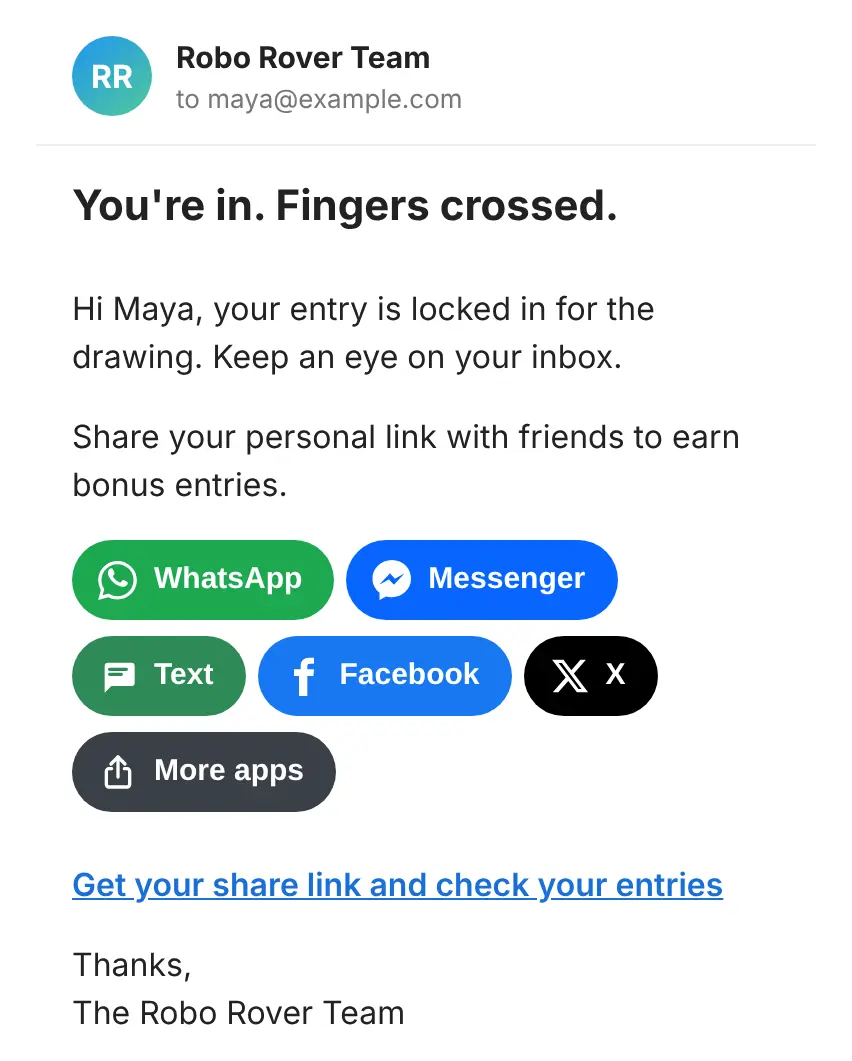
The buttons are built the way email clients expect, so they show up in Gmail, Apple Mail and Outlook and wrap neatly on a phone screen. Text and Messenger open the app on a phone. Labels like Text, Email and More apps follow your campaign's language, while app names stay as they are.
A personal share page for every other app
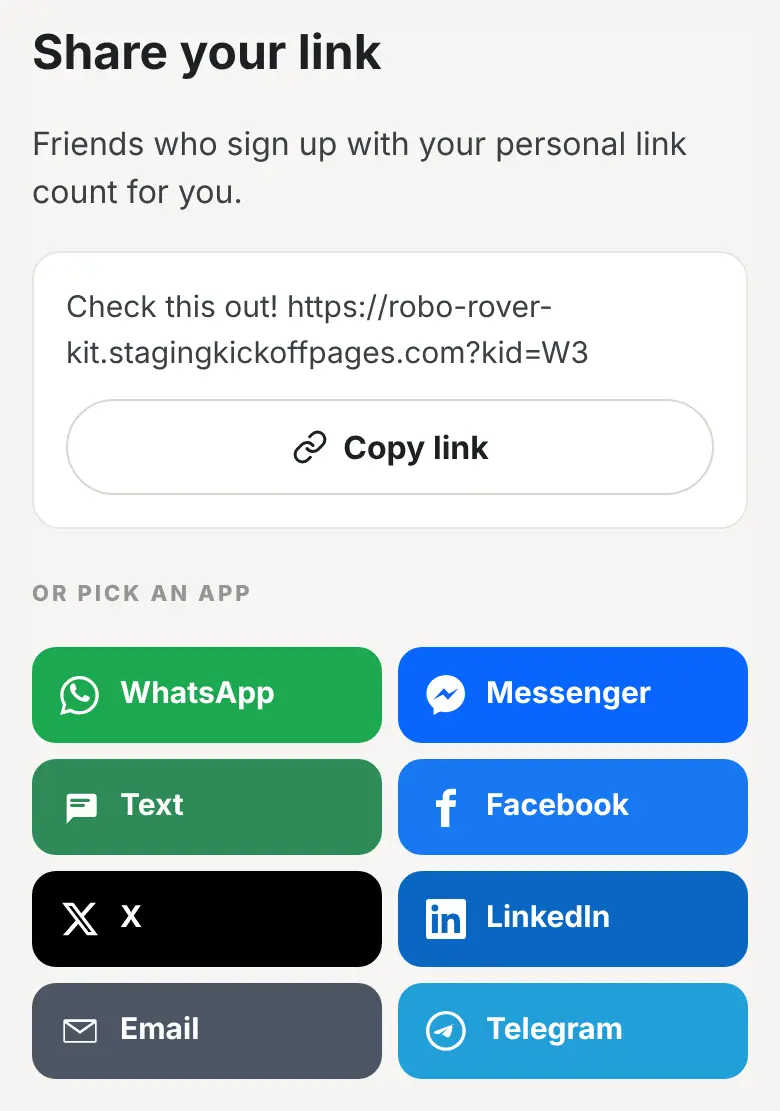
Add a More apps button and each lead gets a share page made for them. On a phone, one tap opens the phone's own share sheet with their message and link ready, so they can share to Instagram DMs, Slack, Signal or anywhere else. On a computer, the page shows their link with a Copy link button and app buttons to pick from.
Welcome emails on signup
Send an automated email the moment a new lead enters your campaign. Welcome them, say thank you and deliver any opt-in rewards you promised, along with their personalized referral link. A welcome email that arrives instantly tells leads your contest is professional and their entry was received. It's also the best moment to drive first shares, because excitement is at its peak.

Notify leads when they earn referrals
Send an automatic email when someone earns a new referral. Let them know a friend signed up through their link, show their updated score and encourage them to keep sharing toward the next reward level. Each notification reminds leads their sharing is working, and you can customize it to highlight how close they are to the next milestone.

Automatically deliver reward level emails
Set up incentive emails that go out automatically when a lead reaches a reward milestone, whether that's 5 referrals, 25 referrals or your highest tier. Reward emails can include coupon codes, download links, exclusive access URLs or simply a congratulations. Each reward tier gets its own customizable template.
About reward levels
Get notified when new leads join
Receive a notification email whenever a new lead enters your campaign, or get notified by API or any of our supported integrations like Slack or Zapier. It's useful for high-touch campaigns where you follow up personally, or just to watch how quickly your contest grows during the day.
About the Zapier integration
Broadcast emails to re-engage leads
Send targeted broadcasts to specific groups of leads. Nudge participants with zero referrals, announce new prizes or let everyone know the contest ends soon. Target by score, referral count or custom tags, so top performers, mid-level participants and people who never shared each get a message that fits where they are.


“We exceeded our subscriber goal, converting 30,487 new leads… while getting a ton of brand exposure in the process! 98% of people were referred by somebody else via the Viral Boost.”
Related features
Campaign email questions
Do I need to know code or Liquid tags to personalize emails?
Which share buttons can I add to campaign emails?
Do the share buttons work in Gmail and Outlook?
What happens when someone taps Text or Messenger on a computer?
Are the button labels translated?
Try KickoffLabs for free
Add automated contest emails that keep your leads sharing from signup to reward.