Let people move up the list by referring friends
A referral waitlist turns your queue into the growth channel. Everyone who signs up gets a position, a share link, and a reason to hand it out — each friend who joins moves them closer to the front of the line.
What is a referral waitlist?
It is a pre-launch signup list where each member's position depends on how many friends they refer. Robinhood used it to collect roughly a million signups before launch, and the mechanic still works: KickoffLabs gives every member a live position, a personal share link, and automatic emails when they move up — no engineering required.
How people skip the line
Position is the reward, and everybody can see theirs.
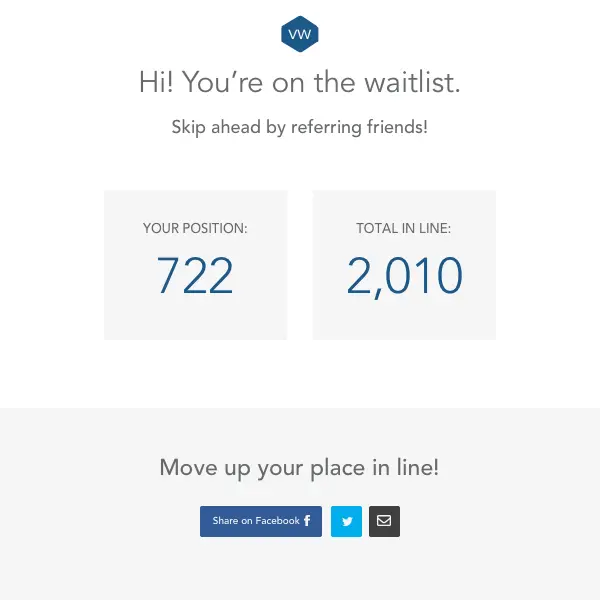
A visitor signs up and immediately sees their place in line and a share link that is theirs alone.
Every verified friend who joins pushes them higher in the queue — and drops the people who did not share.
Open access from the top down, so your most motivated advocates arrive first and bring an audience with them.
How a referral waitlist page moves people up
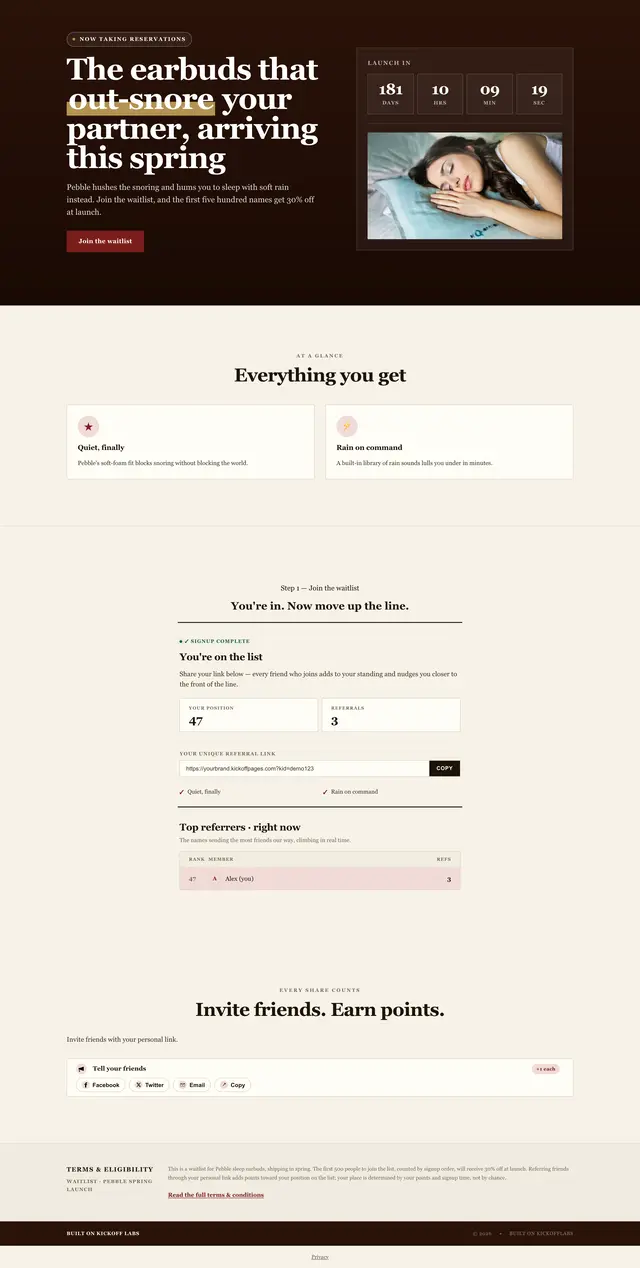
A waitlist for sleep earbuds where the first 500 get a launch discount. After joining, people see their place in line and how to move up.
-
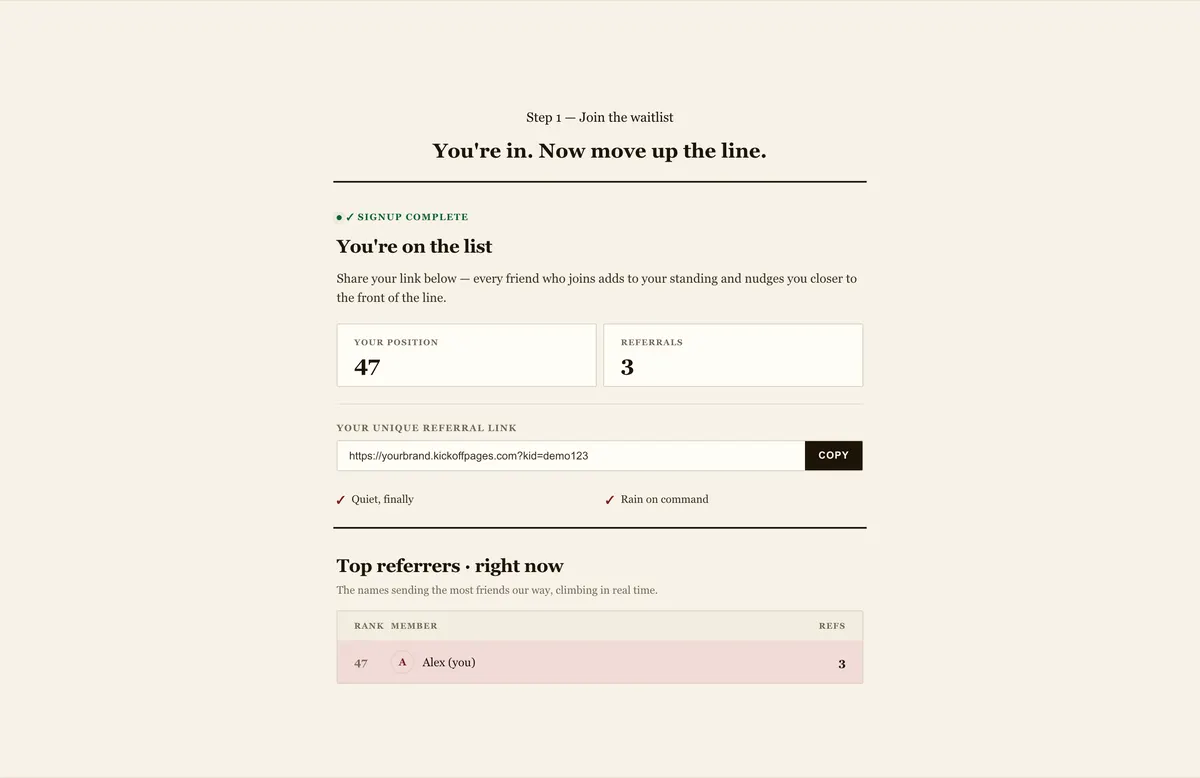
Place in line and top referrers
After signup- People see their position, referrals and personal link right after joining.
- A live list of top referrers sits underneath.
-
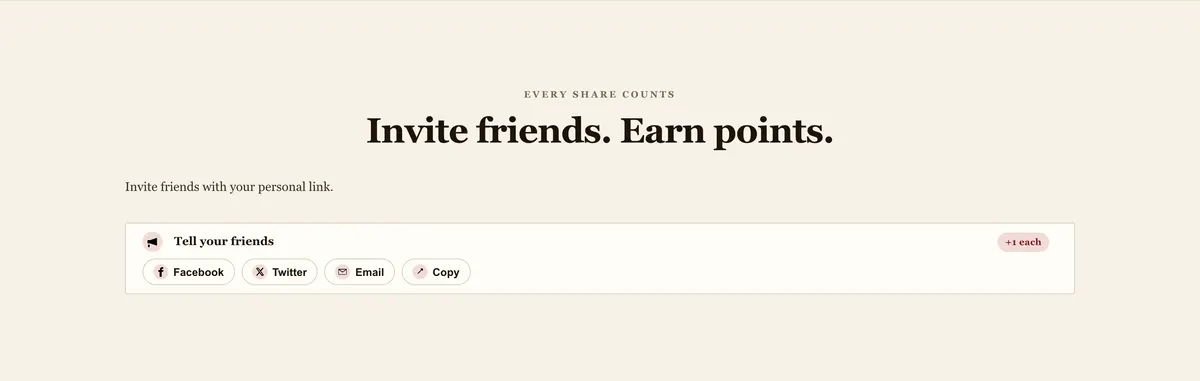
Invite friends, earn points
After signup- Each share option shows how much a signup moves you up.
A queue that recruits for you
Referral waitlist variations
Start with position-only, then add the mechanic your audience responds to.
The pillar page: everything a pre-launch signup list can do, mechanic by mechanic.
Learn more Waitlist with a giveawayDraw a launch-day prize from the list, weighted by points so referrals improve the odds.
Learn more Waitlist leaderboardShow the whole list who's ahead, then let the front of the line in first.
Learn more Waitlist + Milestone RewardsGive every member something to unlock, not just the handful at the front of the queue.
Learn more
“I think we drove 30,000 signups just in one week alone! KickoffLabs lets us capitalize on virality, social behavior, and how you make something contagious.”
How can you run a KickoffLabs campaign?
We're flexible. Run it as a hosted landing page, an embedded widget or a popup, or connect a form you already have.
<script src="https://b.kickoffpages.com/2.2.0/kol.js" id="koljs" data-campaign-id="YOUR_CAMPAIGN_ID" defer></script>
<div data-kol-snippet="embedpage" class="kol-embed-page-frame"
  data-settings='{"pageID":"YOUR_PAGE_ID"}'></div>
<script src="https://b.kickoffpages.com/2.2.0/kol.js" id="koljs" data-campaign-id="YOUR_CAMPAIGN_ID" defer></script>
<script src="https://b.kickoffpages.com/2.2.0/kol.js" id="koljs" data-campaign-id="YOUR_CAMPAIGN_ID" defer></script>
No code needed. Build the page in our editor and we host it, or publish to your own domain with SSL included. Browse page templates
Everything a referral waitlist needs, built in
Just a sample of what you get with KickoffLabs, on every plan.
A visible launch date with a live countdown on the page.
Automatic emails at signup and at every reward milestone.
Show entrants where they stand and keep sharing competitive.
Fake entries and self-referrals flagged automatically.
A shared signup target with a progress meter everyone fills toward.
Publish a compact signup box to embed, or a long-form page with the offer and rules.
Mailchimp, ActiveCampaign, Kit, AWeber, Zapier, webhooks.
Collect verified phone numbers to make sure leads are real.
Referral waitlist questions
How does a referral waitlist work?
Is this the same thing Robinhood did?
Do I need a prize to run a referral waitlist?
How do I stop people from gaming their position?
What should I do with the list on launch day?
Plan the launch around the list
The playbooks, templates, and integrations behind a pre-launch waitlist.
How other teams built a launch list before they had a product to sell.
Waitlist pages built for the launches people actually run.
Every member, position, and referral syncs to the platform you email from.
Start the list before you start the launch
Give every signup a position, a share link, and a reason to bring the next person.