Contents
- Start with the follow-up outcome, not the tool
- The giveaway automation stack
- Map the minimum useful lead record
- Workflow 1: Confirm the entry immediately
- Workflow 2: Encourage referrals without nagging everyone
- Workflow 3: Route qualified entrants to email or CRM follow-up
- Workflow 4: Handle winner and non-winner follow-up
- Workflow 5: Build the post-campaign sequence
- Three practical Zapier workflows
- The reliability checklist nobody wants until something breaks
- Native integration, Zapier, or webhook?
- Build the boring version first
Most giveaway follow-up is either too slow or way too clever.
The slow version exports a CSV three days after the campaign ends and dumps everyone into the same newsletter.
The clever version has 19 automation steps, six branches, two mystery spreadsheets, and one Zap that quietly stopped working last Tuesday.
Both waste leads.
Quick answer: Automate giveaway follow-up by sending each new entrant from your campaign platform to one email or CRM system, preserving consent and campaign fields, then triggering five clear workflows: entry confirmation, referral encouragement, progress or deadline reminders, winner/non-winner messages, and post-campaign segmentation. Use native integrations for the core data path, Zapier or webhooks for targeted routing, stable lead IDs for deduplication, and a failure alert plus reconciliation report so missed records do not disappear.
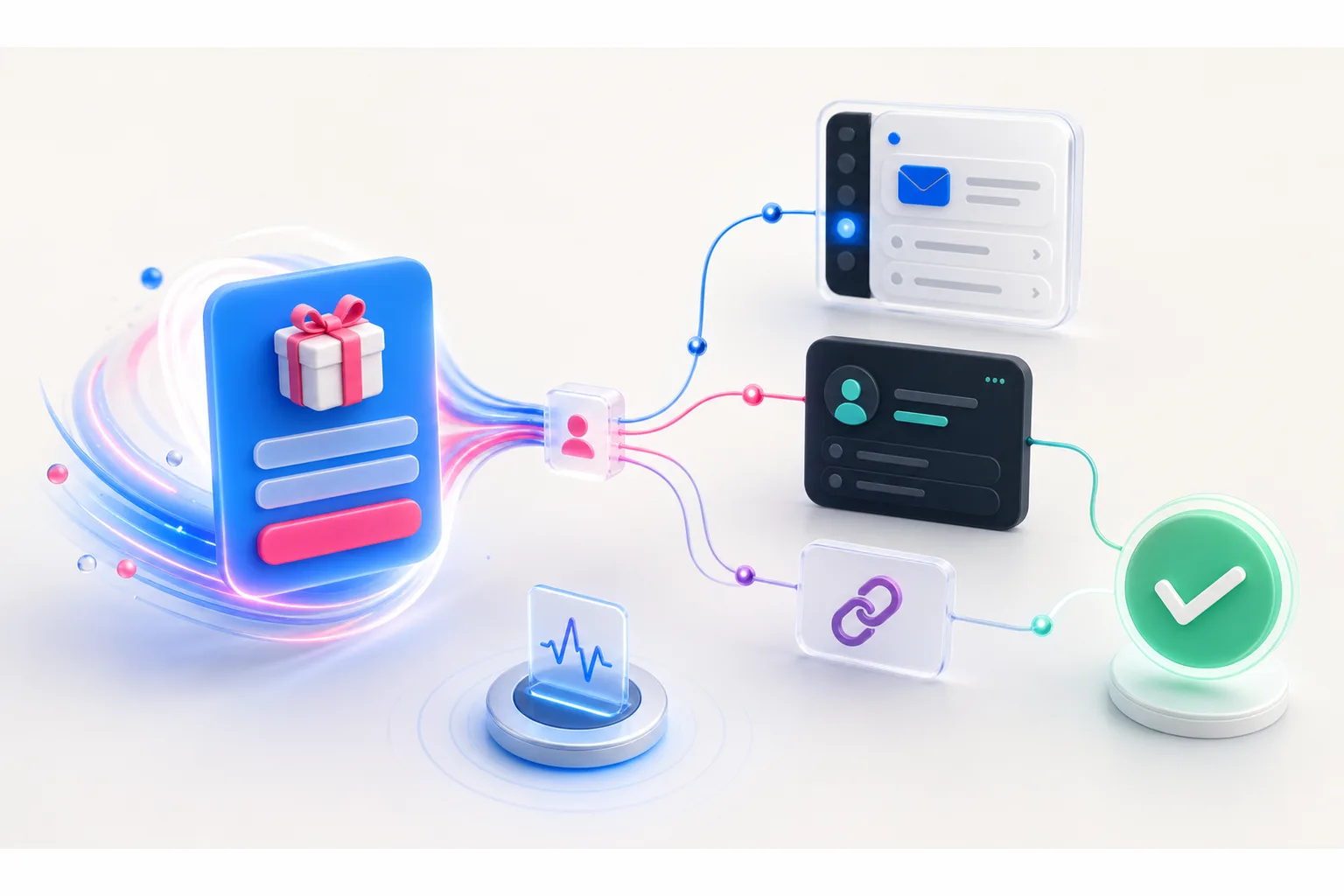
The goal is not to automate everything. The goal is to make sure every qualified entrant gets the right next message while the campaign is still fresh in their mind.
Here is the system we would build.
Start with the follow-up outcome, not the tool
Before you open Zapier, write down what should happen after someone enters.
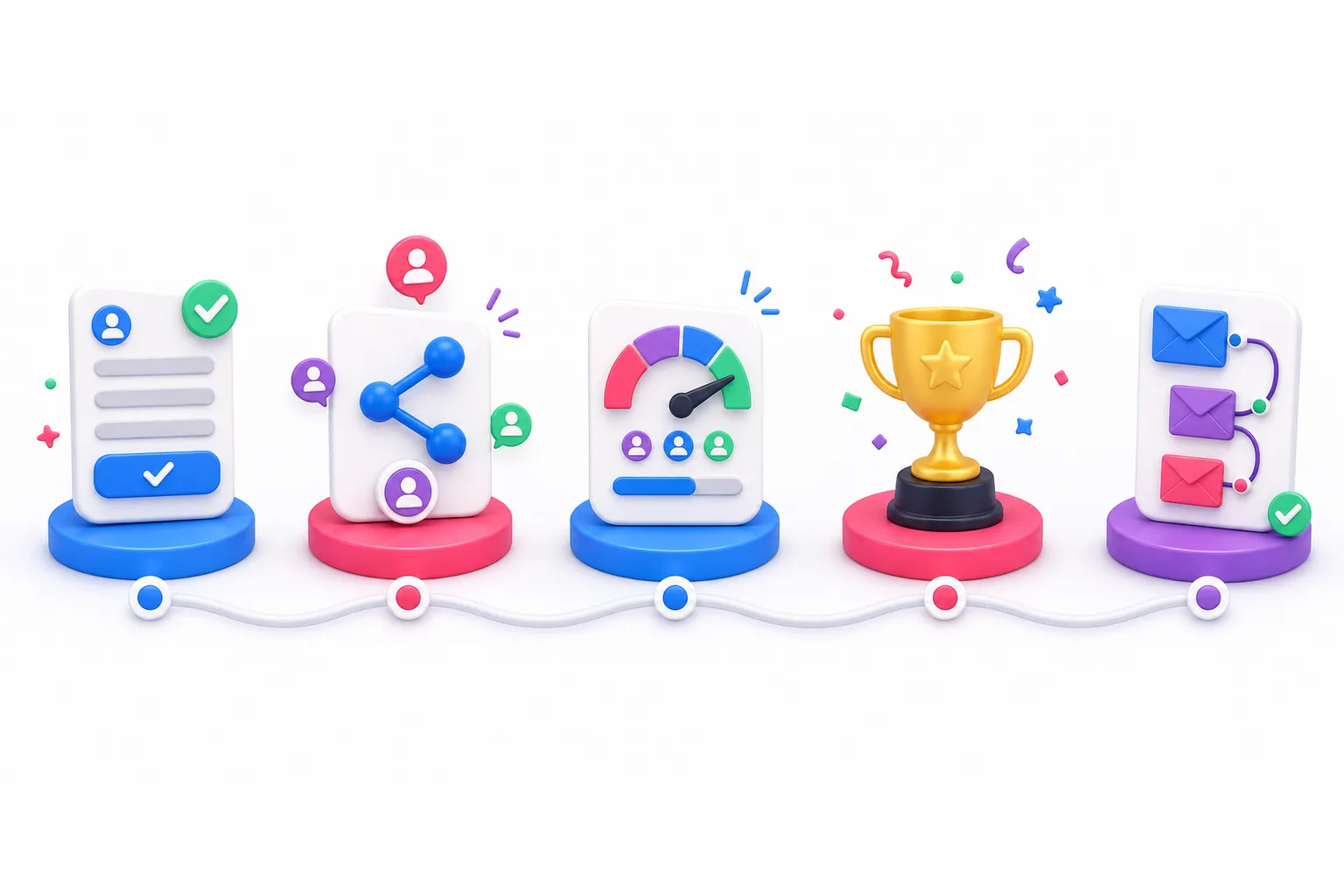
A useful giveaway follow-up system usually has five jobs:
- Confirm the entry and explain what happens next.
- Give the entrant a personal referral link or another useful action.
- Remind active entrants about the deadline, their progress, or available rewards.
- Tell the winner and non-winners what happened.
- Route people into relevant post-campaign follow-up without pretending every entrant is ready to buy.
That is enough.
You can add sales alerts, lead scoring, SMS, fulfillment tasks, and support notifications later. But those are branches. They should not sit in the critical path between “someone entered” and “someone received the promised confirmation.”
If your first automation diagram looks like airport traffic control, start over.
The giveaway automation stack
A clean stack has four layers.
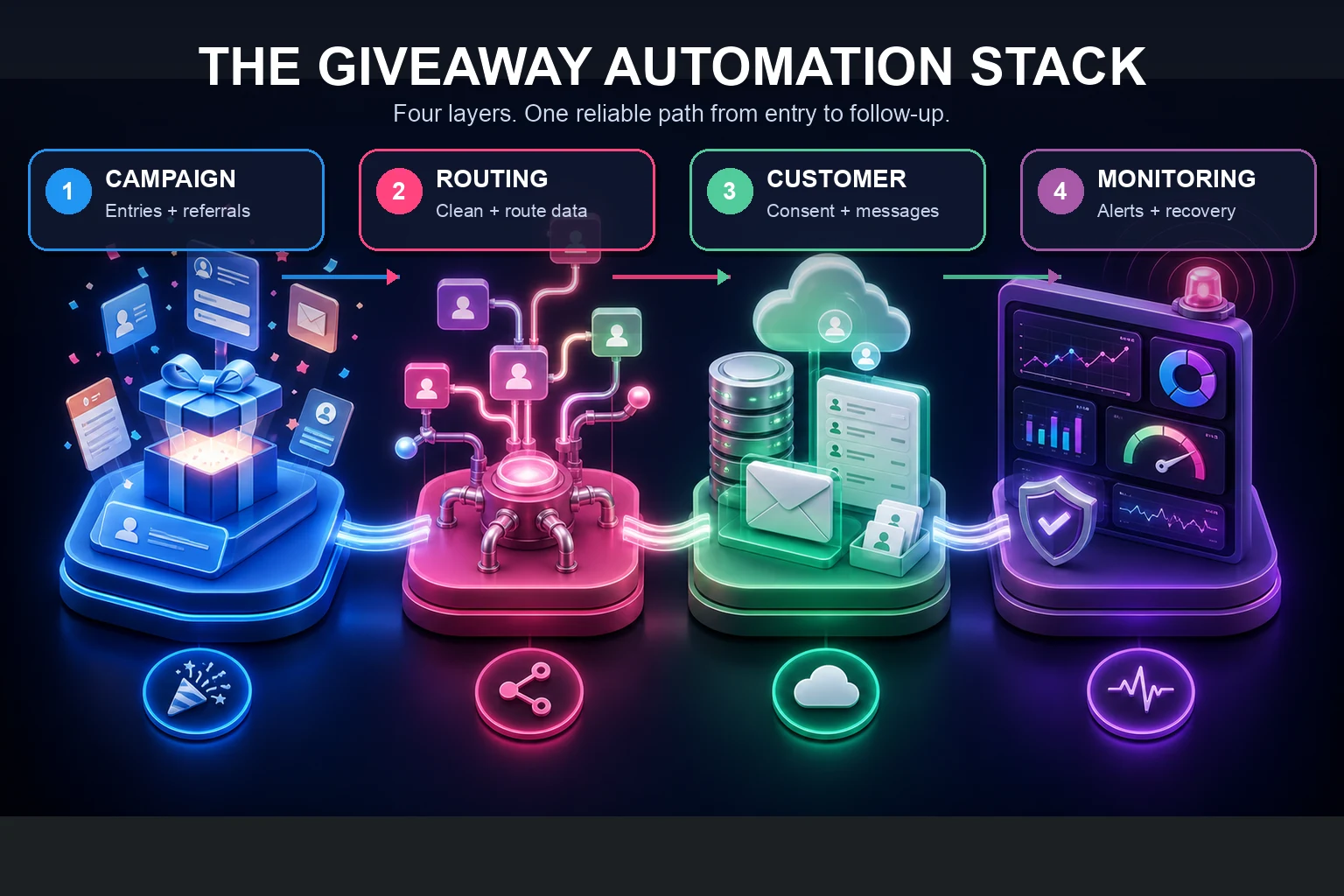
1. The campaign layer
This is where the giveaway entry, referral activity, bonus actions, rewards, and source data live.
KickoffLabs can capture the lead, create a unique referral link, record referral credit, apply tags, award points, and track campaign behavior. That makes the campaign record your source for giveaway-specific facts.
Do not make your email platform recreate referral logic from scratch. It should receive the fields it needs to send useful messages.
2. The routing layer
The routing layer moves or transforms data.
Use a native email integration when it supports the destination and fields you need. Native connections usually mean fewer credentials, mappings, and failure points.
Use Zapier or Make when you need branching, field cleanup, multi-app workflows, or a destination without a direct connection. Use a webhook or API when you need tighter control, higher reliability, or custom business logic.
Zapier describes a trigger as the event that starts a Zap. Some triggers poll for new data. Instant triggers use webhooks to send new data as it happens. That difference matters if your confirmation message needs to feel immediate.
3. The customer system
Pick one primary destination for lifecycle communication.
That might be Klaviyo, Mailchimp, ActiveCampaign, Kit, HubSpot, Salesforce, or another CRM/email platform. KickoffLabs supports direct integrations with popular email and CRM tools, plus broader routing through automation platforms and webhooks.
One primary destination does not mean one permanent list. It means one place owns subscription status, segmentation, and the next message.
4. The monitoring layer
Every automation eventually fails.
An API token expires. A required CRM field changes. A platform rate-limits a burst of entries. Someone renames a list and forgets the Zap depends on it.
Add a failure notification, a dead-letter destination for records that could not be processed, and a daily reconciliation check. Automation without monitoring is just a delayed surprise.
Map the minimum useful lead record
Do not push every available field into every tool.
Start with a small contract that answers four questions: Who is this person? What did they consent to? Which campaign did they join? What should happen next?
A practical record might include:
| Field | Why it matters |
|---|---|
| Email address | Primary contact and deduplication key |
| Stable lead ID | Prevents duplicate processing when an email changes |
| Given name | Useful personalization when actually provided |
| Campaign ID or slug | Keeps campaigns separate |
| Entry timestamp | Supports deadlines and reconciliation |
| Marketing consent | Controls promotional follow-up |
| Source and UTM fields | Preserves acquisition context |
| Referral link | Powers the post-entry sharing message |
| Referral count or score | Supports progress reminders and segments |
| Lead tags | Routes entrants by prize, product, or action |
| Verification status | Prevents unverified records from entering the wrong path |
Decide which system owns each field.
For example, KickoffLabs should own referral count. Your email platform should own unsubscribe status. Your CRM may own sales stage. Copying values is fine. Letting three systems all overwrite the same truth is how automation becomes archaeology.
Workflow 1: Confirm the entry immediately
The confirmation email is not housekeeping. It is the first campaign experience after the form.
Send it quickly and answer the questions the entrant is already asking:
- Did my entry work?
- What exactly can I win?
- When does the campaign end?
- How is the winner chosen?
- Can I improve my odds or earn a reward?
- Where are the official rules?
Include the entrant’s personal referral link when referrals are part of the campaign. Do not send a generic campaign URL and expect referral credit to work magically.
A tight confirmation looks like this:
Subject: You’re in — here’s your referral link
Body: Your entry is confirmed. The giveaway closes on [date]. Share your personal link below to earn [specific bonus or progress]. [Referral link]. See the official rules here: [rules URL].
That message does a job. It does not need a founder story, three product announcements, and your latest podcast episode stapled to the bottom.
If you require email verification, separate “we received your entry” from “your entry is verified.” Make the required click obvious.
Workflow 2: Encourage referrals without nagging everyone
Referral reminders should react to behavior.
Someone with zero referrals needs a simple reason to share. Someone one referral away from a reward needs a progress message. Someone who already earned the top available reward does not need another “invite your friends” email.
Build three segments:
No referral activity
Send one useful nudge after the entrant has had time to see the confirmation.
Explain the reward and offer ready-to-use share copy. Reduce the work.
Progress toward a reward
Trigger a message when the next milestone is close.
“You are one referral away” is useful. “Keep sharing!” is wallpaper.
High-performing advocates
Thank them, confirm progress, and consider a higher-value action: a new reward tier, ambassador invitation, early access, or a request for product feedback.
Do not automatically treat high referral count as high purchase intent. Influence and buying intent overlap, but they are not the same thing.
Workflow 3: Route qualified entrants to email or CRM follow-up
A giveaway lead is not qualified because the email address exists.
Qualification comes from context.
Useful signals include:
- The prize matches what you sell.
- The entrant selected a product, use case, or launch interest.
- The entrant completed a high-intent bonus action.
- The source was a partner, customer community, or product page.
- Referral behavior suggests genuine audience fit.
- The entrant clicked or replied after joining.
Use tags and form fields to route people into a relevant segment. A SaaS giveaway might ask about team size or launch timing. An ecommerce campaign might ask which product category interests the entrant. Keep the form short, but collect one field that helps you avoid sending everybody the same pitch.
Then choose the path:
- Newsletter segment: useful campaign-adjacent education.
- Product-interest segment: content and offers tied to the selected category.
- Sales-review queue: only for genuinely high-intent records.
- Customer segment: referral, loyalty, or expansion messaging instead of acquisition copy.
- Suppressed marketing: operational campaign messages only when promotional consent is absent.
Your CRM does not need 10,000 “new opportunities” because 10,000 people entered to win a laptop. That is not a pipeline. That is a cry for help.
Workflow 4: Handle winner and non-winner follow-up
Most giveaway funnels spend all their energy before the deadline and then fall off a cliff.
Plan the ending before launch.
Winner workflow
The winner path should create a task for human verification before a public announcement or expensive fulfillment step.
Confirm eligibility. Check fraud signals. Verify the entry against your official rules. Record outreach attempts and the response deadline. Then move fulfillment forward.
Do not let a Zap publicly announce a winner because a randomizer put a name in a spreadsheet cell.
Non-winner workflow
Non-winners should hear the result clearly. Do not hide the outcome and immediately pivot into a coupon.
A strong message has four parts:
- Thank them for participating.
- State that the campaign ended and a winner was selected.
- Deliver any promised reward, content, or next step.
- Offer one relevant way to stay connected.
If you use a consolation offer, make it real and time-bound. Do not invent an “exclusive” discount that has lived on your homepage since 2022.
No-response winner workflow
Your official rules should explain how long a potential winner has to respond and what happens next. The automation can create reminders and internal tasks, but a human should control disqualification and alternate-winner decisions.
Workflow 5: Build the post-campaign sequence
The campaign ending is the start of segmentation.
A simple post-giveaway sequence might run like this:
Day 0: Results. Announce the outcome and deliver any promised next step.
Day 2: Prize-adjacent value. Teach something connected to the problem the prize solves.
Day 5: Product bridge. Explain how your product helps with the same goal. Use the entrant’s selected interest when available.
Day 9: Proof. Share a verified customer story, product walkthrough, or practical example.
Day 14: Choice. Offer a clear next action and let low-interest entrants settle into a lighter newsletter cadence.
This is a framework, not a mandatory email avalanche. If the audience did not consent to promotional email, do not put them into a marketing sequence just because your automation can.
The FTC’s CAN-SPAM compliance guide says commercial email must use accurate sender and subject information, include a valid postal address, provide a clear opt-out method, and honor opt-out requests promptly. It also makes clear that hiring another company to send email does not remove your responsibility to comply.
Consent and privacy rules vary by audience and jurisdiction. Treat your official rules, entry disclosure, privacy notice, and email consent as one system—not four unrelated bits of footer copy. Talk to qualified counsel about your campaign.
Three practical Zapier workflows
You do not need a giant integration catalog. Start with these.
New entrant to email platform
Trigger: New KickoffLabs lead.
Actions: Normalize email fields, find or create the subscriber, update campaign tags and referral fields, then write the destination ID back to your audit log.
Use “find or create” behavior instead of blindly adding a new contact. Map consent deliberately. Test an existing subscriber, a new subscriber, an unsubscribed address, and an address with mixed capitalization.
Qualified entrant to CRM review
Trigger: Lead receives a high-intent tag or completes a qualifying action.
Actions: Find the CRM contact, update the campaign context, create a review task, and notify the correct owner.
Do not create a deal automatically unless the action really represents buying intent. A task is cheaper than a polluted pipeline.
Referral milestone to fulfillment queue
Trigger: Lead reaches a reward threshold.
Actions: Verify the milestone has not already been fulfilled, create or update the fulfillment record, notify operations when manual approval is required, and mark the reward status.
Use an idempotency key such as campaign_id + lead_id + reward_id. That gives retries a way to recognize work already completed.
The reliability checklist nobody wants until something breaks
Before launch, test more than the happy path.
- Submit a brand-new email address.
- Submit an existing subscribed address.
- Test an unsubscribed or suppressed address.
- Test missing optional fields.
- Test a referral and a reward milestone.
- Confirm duplicate submissions do not create duplicate contacts or rewards.
- Confirm a failed destination step raises an alert.
- Confirm replaying a failed run does not send duplicate email.
- Confirm the source campaign and referral link survive the transfer.
- Compare daily source and destination counts.
- Name one person who owns failures during the campaign.
Zapier warns that workflows generally process new data after the Zap is turned on; historical records may need a separate transfer. It also warns that writing back to the same resource watched by a trigger can create loops. Test both risks before live traffic arrives.
For a larger campaign, add a reconciliation report with counts for:
- New verified leads in KickoffLabs.
- Records accepted by the destination.
- Records rejected or delayed.
- Duplicate records merged.
- Confirmation messages sent.
- Unsubscribes and complaints.
The totals may not match perfectly because systems count states differently. The point is to explain the difference, not force a comforting number.
Native integration, Zapier, or webhook?
Use the least complicated option that meets the requirement.
| Option | Best when | Watch out for |
|---|---|---|
| Native integration | You need standard lead sync to a supported email or CRM tool | Field and branching limits |
| Zapier or Make | You need no-code routing, transformations, and multi-app actions | Task volume, polling delays, brittle mappings |
| Webhook | You need fast event delivery to a system you control | Authentication, retries, logging |
| API integration | You need custom two-way behavior and strict data ownership | Engineering and maintenance cost |
| CSV export | You need a one-time backfill or manual audit | Delay, duplicates, accidental consent mistakes |
Do not choose webhooks because they sound technical. Do not choose CSV because it feels safe. Choose based on timeliness, volume, ownership, and failure recovery.
Build the boring version first
The best giveaway follow-up automation is boring.
One campaign record. One primary email or CRM destination. A small field contract. Five useful workflows. Clear consent. Human approval for winner decisions. Alerts when data stops moving.
That boring system will beat the elaborate one nobody can explain.
KickoffLabs gives you the campaign layer: landing pages, lead capture, referrals, points, rewards, tags, and integrations. Start with a giveaway campaign, connect your email or CRM platform, and add Zapier automation only where it solves a real routing problem.
Then enter the campaign yourself.
If you cannot trace your own test lead from entry to confirmation to the right follow-up segment, the automation is not ready. Fix that before you invite the internet.