Facebook

Pick a Contest Winner for Your Next Viral Giveaway

Run contests with ease using KickoffLabs Pick a Winner feature. Select a winner at complete random or weigh the contest results by referral activity and engagement!

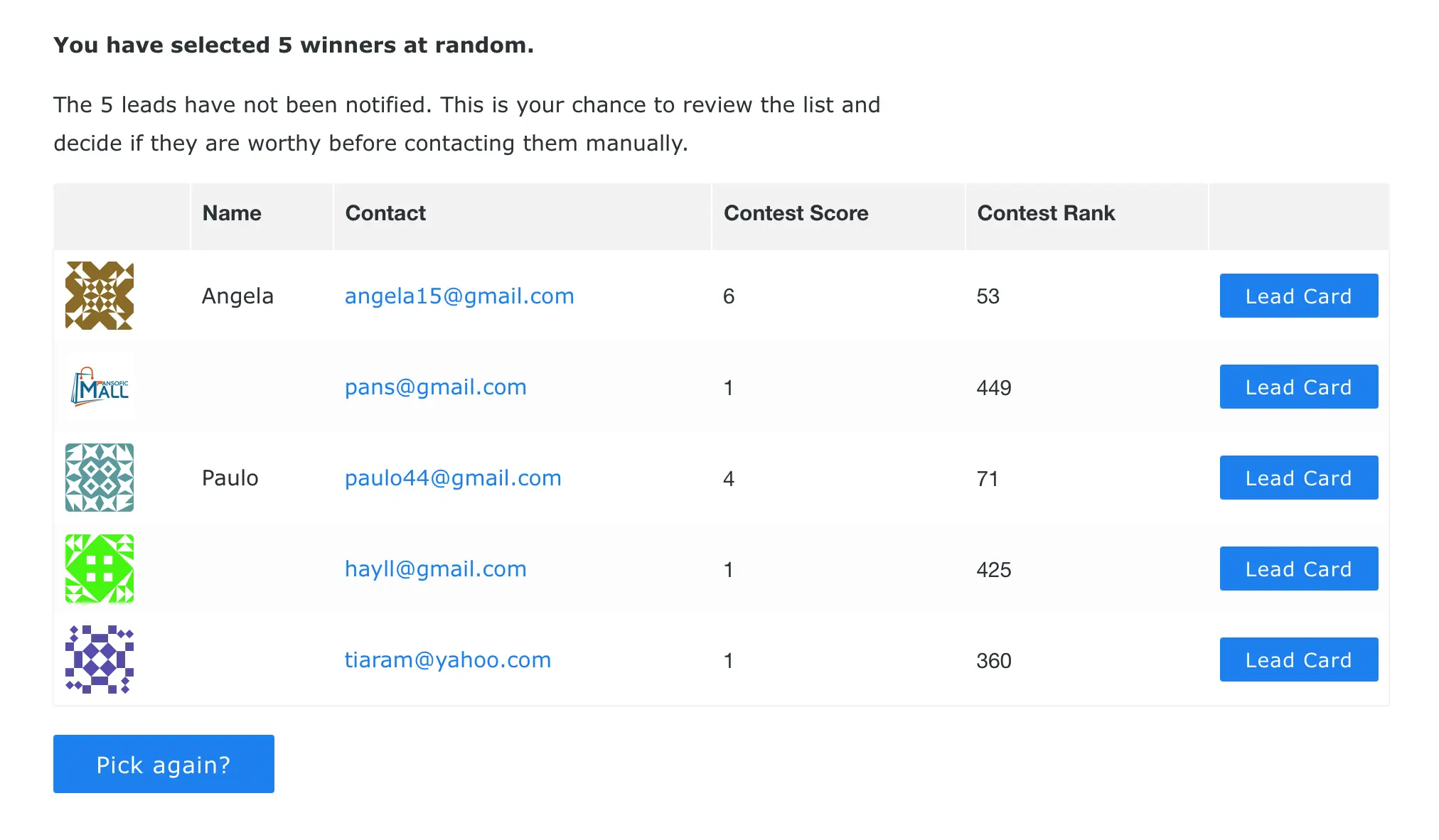
Pick a winner results showing selected contest winners

How Does Picking a Winner Work in KickoffLabs?

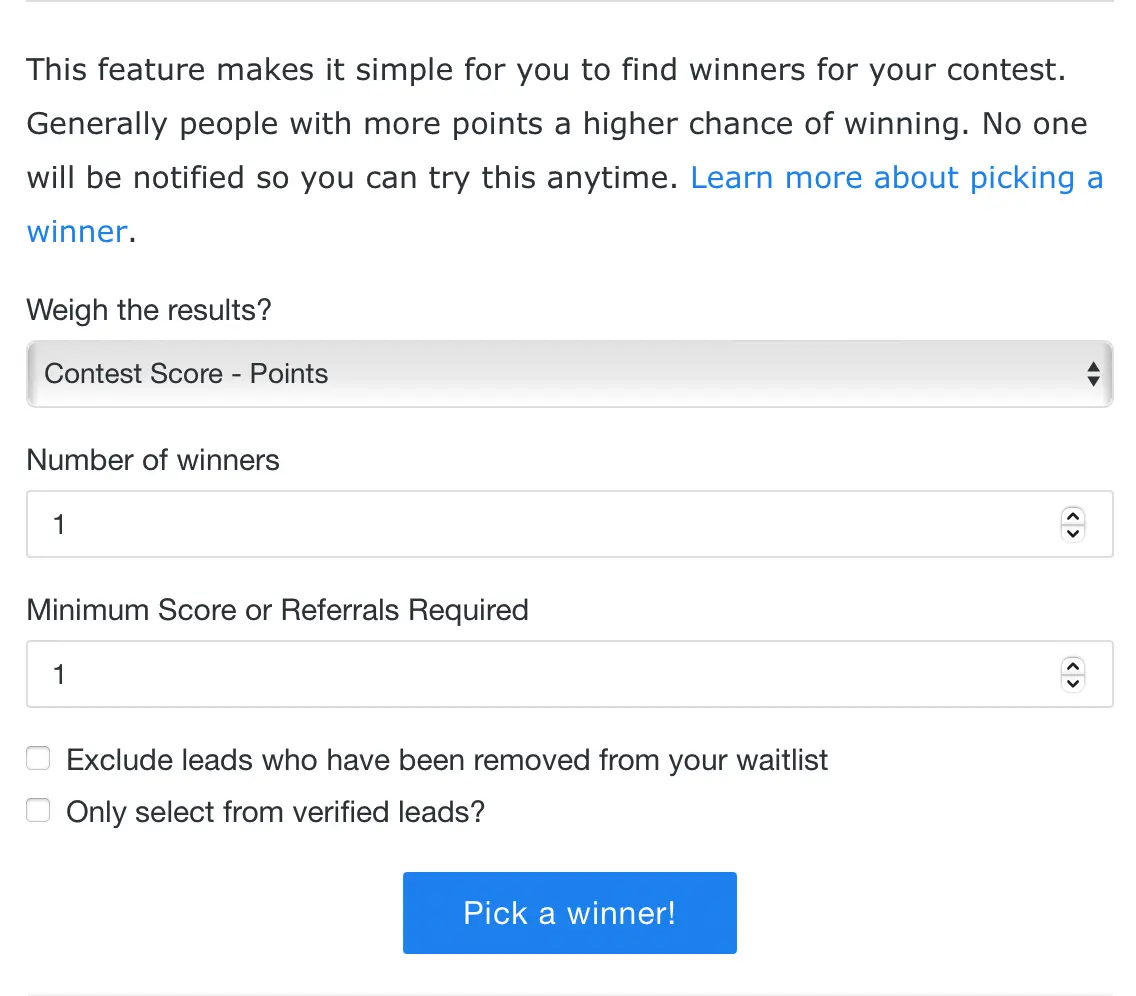
Easily select how many winners to draw, the minimum score required, and whether or not to weigh the results. The entire drawing process takes just a few clicks from your campaign dashboard.

Weigh the Contest or Select Winners at Complete Random

You choose how the drawing works. A pure random drawing gives every eligible lead an equal chance of winning, regardless of their activity in the contest.

Alternatively, enable weighted selection to reward your most active participants. When weighing is turned on, leads with higher scores get additional entries into the drawing. For example, a lead with 10 points effectively gets 10 entries, dramatically improving their odds compared to someone with just 1 point.

Weighted drawings are ideal for referral contests where you want to incentivize sharing. Participants who refer the most friends earn the highest scores and get the best odds of winning.

Pick a winner settings panel showing weight and minimum score options

Select the Number of Winners and Set Minimum Thresholds

Draw between 1 and 1,000 winners in a single drawing. Running a grand prize giveaway? Draw one winner. Running a contest with multiple prize tiers? Draw as many as you need.

Set a minimum score threshold so that only leads who actively participated in your contest are eligible for the drawing. This prevents people who signed up but never shared or took actions from winning over your most engaged participants.

Contest winner drawing results

Review Results Before Announcing Winners

KickoffLabs does not automatically notify winners. When you run a drawing, the results are shown only to you in the dashboard. This gives you time to verify that each winner has complied with your contest rules before you reach out.

You can review their lead profile, check their referral activity, confirm their identity, and then send a personal email to claim their prize. This extra step protects you from awarding prizes to fraudulent entries.

Winner verification before announcing results

Best Practices for Fair Contest Drawings

Use Fraud Protection First

Before running your drawing, review flagged leads in the KickoffLabs fraud protection dashboard. Remove suspicious entries so they cannot win prizes. Our automated fraud filters catch fake email addresses, duplicate entries, and suspicious referral patterns.

Set Clear Contest Rules

KickoffLabs includes a built-in contest rules template that covers eligibility, prize details, and winner notification procedures. Make your rules available to participants before the contest starts so there are no surprises at drawing time.

Run Multiple Drawings for Tiers

If your contest has a grand prize, second place, and third place, run separate drawings with different minimum score thresholds. Draw the grand prize first, then exclude that winner from subsequent drawings for the remaining prize tiers.

When to Use Random vs. Weighted Drawings

Choosing the right drawing method depends on the goals of your contest.

Use Random Drawings When...

You want maximum participation and want every entrant to feel they have a fair shot. Random drawings work well for simple sweepstakes, product launch giveaways, and contests where the primary goal is to collect as many email addresses as possible. Every lead gets one entry regardless of activity.

Use Weighted Drawings When...

You want to reward engagement and referral activity. Weighted drawings are perfect for viral referral contests, ambassador programs, and any campaign where sharing is the main objective. Participants see the direct benefit of referring friends because more referrals mean better odds of winning.

See Real Success!

Check out interviews with users who have run successful viral marketing campaigns with KickoffLabs.

Brainrich Kids

When you build that initial group of people that are super excited about your (KickoffLabs) campaign, they spread it, and then it becomes viral.

Yegor Nadvornyy
Founder & CEO

Saha

Even with how little we promoted the campaign, somehow it spread like wildfire. KickoffLabs social sharing feature made it easy for lots of other people to do the promotion for us, with 94% of new leads coming in through referrals.

Aref Shehadeh
Co-Founder

All Girl Shave Club

But what was really appealing to me about KickoffLabs is that built in social share feature. None of the other ones at the time had that available.

Just a sample of the things you can get with KickoffLabs!

Features and Support to Grow Your Business

Pro onboarding

Professional Onboarding

Launch faster with a 1:1 call, domain setup, video reviews, and design assistance, all valued at $250, included in business subscriptions

Team does it for you.

Done For You Campaigns

Hire the KickoffLabs team to design, develop, and deploy your next viral campaign. We set it up and you just promote it! Learn more.

Agency lead generation

Agency Account Support

Manage isolated campaigns for multiple clients with one account. Create re-usable campaign templates. Transfer campaigns to client accounts. Learn more.

Contest platform that scales

Campaigns that Scale

We've run giveaways for some of the largest companies with millions of entries connected to Super Bowl commercials. We can meet your needs. Learn more.

Viral lead generation platform

Platform APIs and Script Library

Build something custom with our API, javascript library, webhooks to create custom integrations. Learn more.

Coupon code distribution.

Coupon Code Distribution

Upload a set of unique coupon codes we can distribute on entry or at set reward levels.

Instant signup

Instant Signup Links

Create signup links you can send via email to known leads or use to redirect people after taking a survey. Learn more.

Contest actions.

Contest Actions

Drive contest engagement by giving people additional actions to perform in exchange for even more entries. Learn more.

It's all legal rules.

Giveaway Rules Template

We've included a template that covers our campaign types out of the box. Edit it to match your rules in minutes.

milestone reward image

Reward Level Milestones

Create achievement levels that anyone can earn by sharing and taking contest actions. Learn more.

reports

Reporting

Get reports on contest conversion rate, actions, and how effective your referral program is without having to install external tracking scripts. Learn more.

Form actions to ask questions post signup.

Post Signup Questions

Contest actions where leads add their phone number or answer quick questions after signing up.

Custom landing page domains

Custom Domains

Improve brand recognition, credibility, and get discovered online easier by publishing your KickoffLabs campaign to a custom domain of your choosing! Learn more.

Lead generation form builder

Form Builder

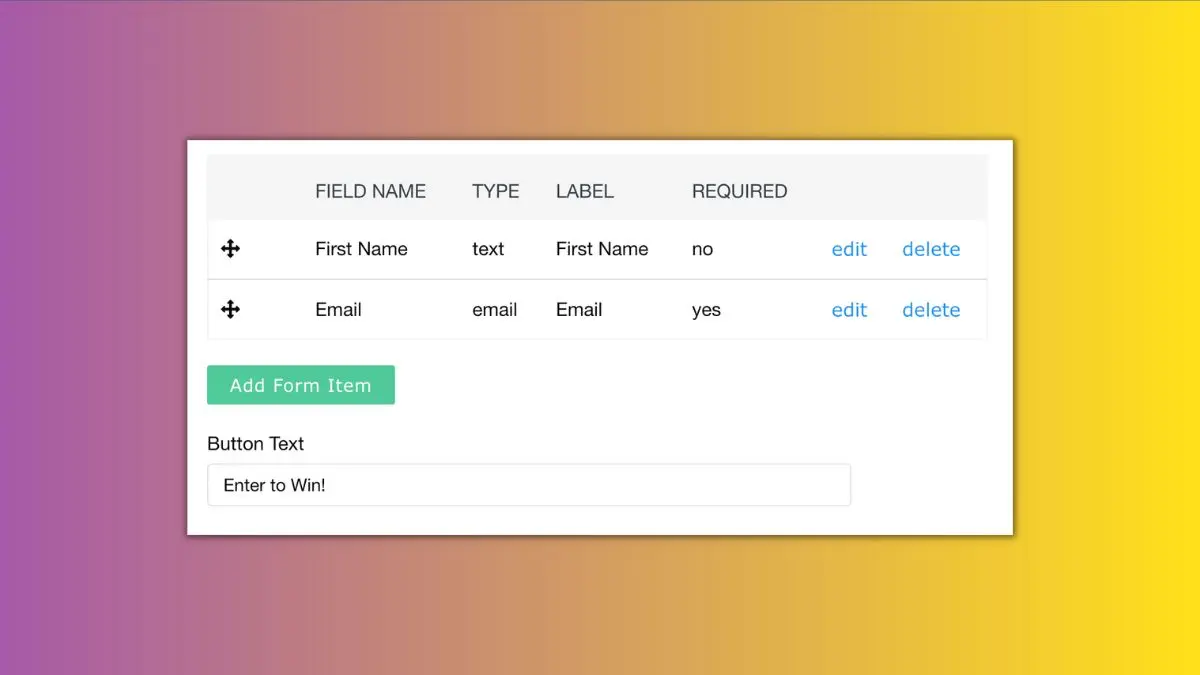
Customize the entry form to collect name, phone number, address, or any custom field you want.

referrals.

Referral Tracking That Works

Every signup gets a unique link. They share it, you see exactly who referred who. That's the whole system. Learn more.

App download actions

Purchase Rewards

Contestants can earn additional entries when they make purchases or even when they refer someone that makes purchases! Learn more.

Drag and drop landing page builder

Landing Page Builder

Create dedicated landing pages for every audience without touching a single line of code in our drag and drop builder. Learn more.

leaderboard campaign symbol

Leaderboards

Show people where they stand by adding a leaderboard to your giveaway. Learn more.

Pick a winner

Pick a Winner

Randomly draw a winner in your giveaway where leads with more entries have better odds. Learn more.

emails

Emails

Send emails after sign up or when they reach key activity thresholds to increase engagement.

Learn more.

Fruad checks

Fraud Protection

Prevent fake contest entries and referrals from mucking up your contest. We've got tools to help with that. Learn more.

A team of chat people.

Team Accounts

Easily collaborate with team members on campaigns by inviting them to your account. Learn more.

ab testing

Smart A/B Testing

Test landing pages for your contest without losing conversions to a bad variation!

Lead phone number SMS verification.

SMS Verification

Collect verified phone numbers with SMS verification codes to ensure you're getting real leads. Learn more.

Lead generation with custom html and css

Custom CSS & HTML

Have your own designer? Add CSS to our pages or use custom HTML pages with our AnyForm script. Drop it in, done.

tag

Lead Tagging

Tag, award points, and segment leads that take custom actions outside of KickoffLabs like taking a survey, downloading your app, or making a purchase.

Giveawy Countdown timer

Countdown

A countdown for your campaign used on landing pages and your contest box.

Lead Generation Campaign Integrations

Integrations Built In

Push leads to your email software, add lead analytics platforms, and connect to Facebook. Learn more.