Use KickoffLabs with Claude
Connect your KickoffLabs account to Claude and run giveaways, waitlists and referral programs by asking. Start a campaign from a short chat, check this week's signups, look up a lead or pick a winner.

Create a waitlist for my new app. Give early access at 3 referrals and a free month at 10.
Here's the brief. Nothing is created until you confirm it.
- Type
- Referral waitlist
- About
- Pocketplan, a budgeting app launching in March
- Rewards
- 3 referrals: Early access. 10 referrals: A free month
- Bonus actions
- Follow on Instagram: 2 points
- Look
- Full landing page, matches pocketplan.example
Your campaigns, one question away
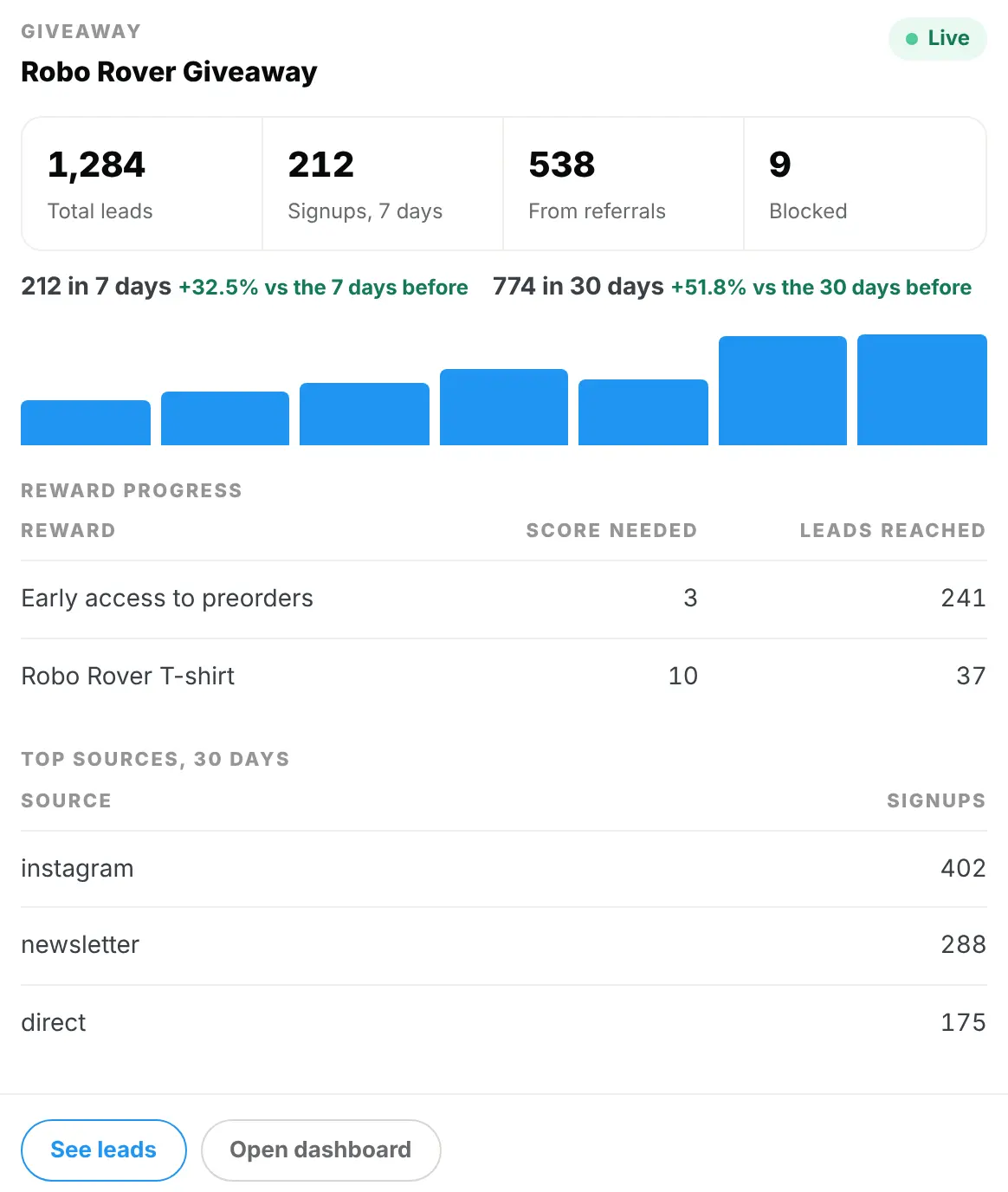
Claude works with the same campaigns, leads and settings you see in the dashboard, and shows results as cards right in the chat.
One card with total leads, signups for the last 7 and 30 days against the period before, referral signups, reward progress and top sources.
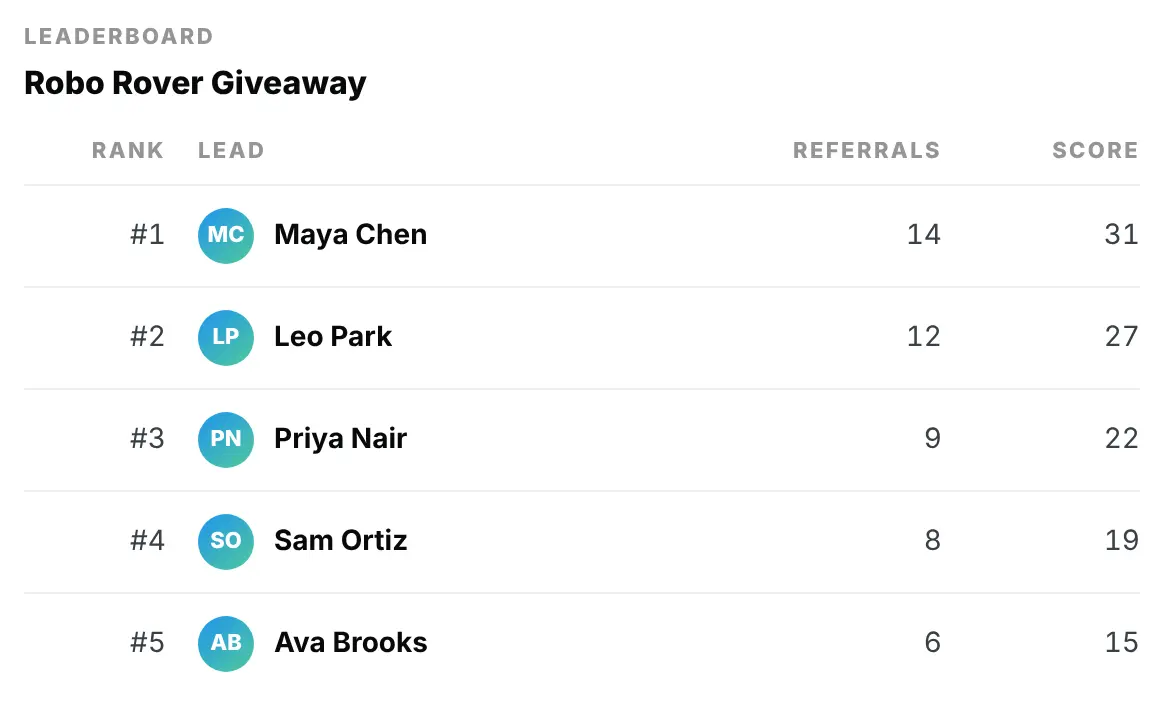
Your top leads with referrals and score. Open any lead to see who they referred, which rewards they've earned and their points history.
Claude asks a few questions and shows a brief. Once you confirm, KickoffLabs AI writes and designs the page, ready to finish in the editor.
Filter by status, tag or date, or open a lead to see their referrals, rewards and points.
Award bonus points, or block, approve or verify leads.
See how many leads are eligible and the rules, then run the draw.
Connect Claude in a couple of minutes
We've submitted KickoffLabs to Claude's connector directory. Until it's listed, add it as a custom connector.
In Claude, open Settings, then Connectors, choose Add custom connector and paste https://app.kickofflabs.com/mcp.
Approve access with your KickoffLabs login. No account yet? Create a free one right on the connect screen.
Start with any of the questions above, or ask anything about your campaigns.
Working in the terminal?
Add KickoffLabs to Claude Code with one command, then sign in to KickoffLabs in your browser.
Read the setup guideclaude mcp add --transport http kickofflabs https://app.kickofflabs.com/mcp
Claude asks before it changes anything
Looking up stats and leads needs no sign-off. Anything that changes a campaign or a lead waits for you.
Every new campaign starts as a private, unpublished draft. Claude publishes it only when you ask.
Before blocking, approving or verifying leads, or awarding points, Claude checks which leads with you.
Nothing is drawn until you approve the draw, and winners aren't notified automatically.
The connection can't delete campaigns or leads.
Lead names and anything leads type are treated as data, never as instructions.
Team members connect with their own KickoffLabs login and see only what their access allows.
Claude connector questions
What does the KickoffLabs connector for Claude do?
Do I need a paid plan to use KickoffLabs with Claude?
What do I still do in the KickoffLabs dashboard?
How do I disconnect?
Try KickoffLabs for free
Create a free account, connect Claude and start your first campaign from a chat.