Contents
A YouTube giveaway should do more than spike comments on one video.
If you run it well, it turns attention from your channel into owned audience growth: email subscribers, referral shares, social follows, and a list of people you can follow up with after the winner is announced.
Here’s the short version: announce the prize in your video, send viewers to a dedicated giveaway landing page, collect email addresses, award bonus entries for referrals or YouTube actions, publish clear rules, then pick and contact the winner from one clean dashboard. Comment-only giveaways are easy to start, but they are painful to verify and easy to game.
What is a YouTube giveaway?
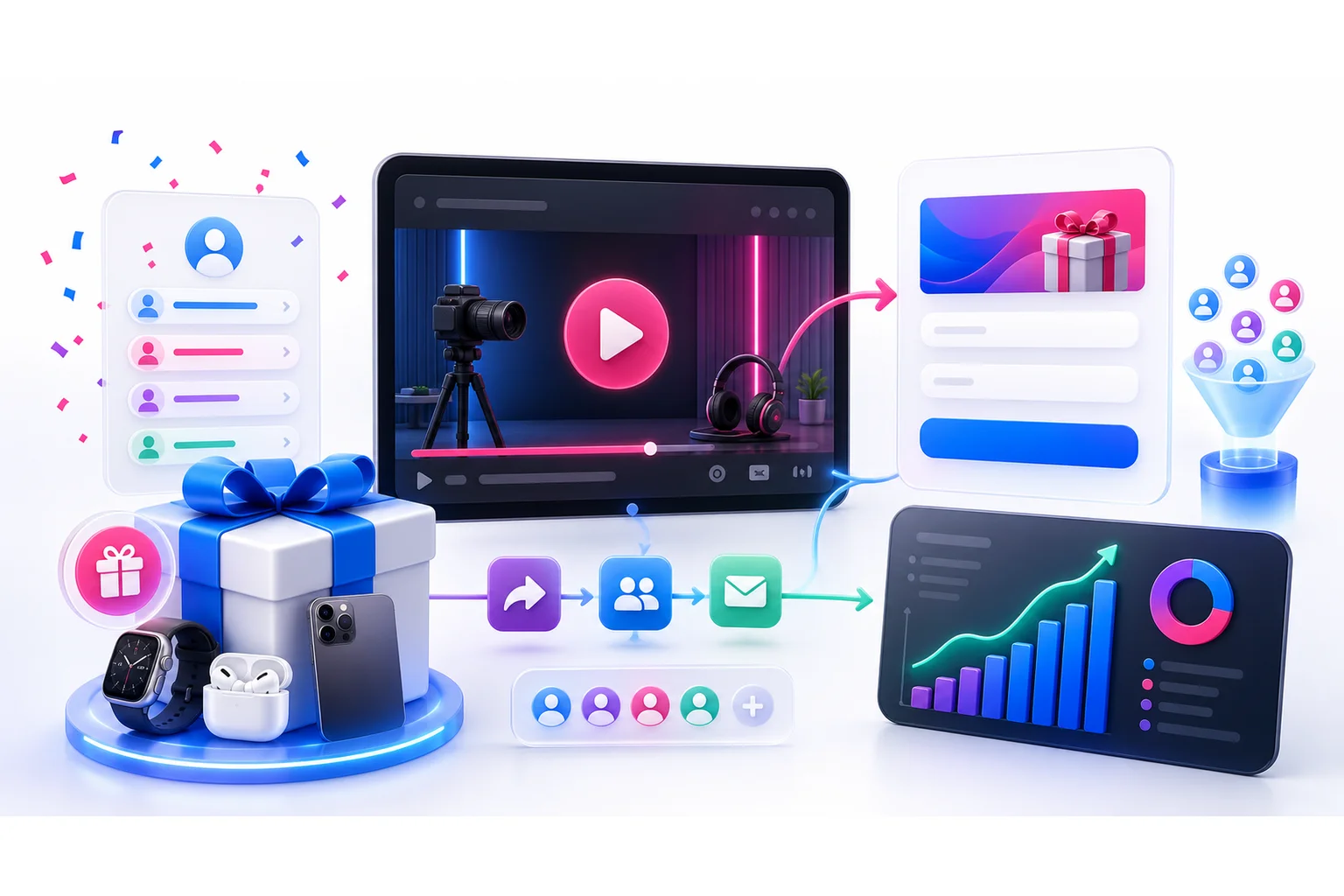
A YouTube giveaway is a promotion where viewers enter for a chance to win a prize connected to your channel, product, or community.
The simplest version is a random sweepstakes. Viewers watch your announcement, click the link in your description or pinned comment, and enter on a landing page. You can give extra entries for subscribing, watching a video, following your other channels, joining your email list, or referring friends.
The better version does not live only in YouTube comments.
YouTube is where you earn attention. Your giveaway page is where you capture the relationship.
That matters because subscribers are useful, but they are still rented attention. Email subscribers and referred leads are yours to nurture after the campaign ends.
Matt Haugen of Haugen Racing is a good example. He already had a strong YouTube audience, but many of those fans were not on his email list or other owned channels. He used a KickoffLabs-powered YouTube giveaway to turn channel momentum into a broader audience he could reach again.
Why run a YouTube giveaway in 2026?
YouTube is crowded. Posting more videos is not a strategy by itself.
A giveaway gives people a reason to act now. It can help you:
- Convert viewers into email subscribers.
- Move fans from YouTube to your owned audience.
- Reward people for sharing the campaign with friends.
- Promote a launch, merch drop, course, event, or product release.
- Learn which videos, creators, and channels drive qualified signups.
The real win is not the prize announcement. The real win is the follow-up list you build while everyone is paying attention.
Pick the right giveaway format
Most YouTube creators default to “comment to win” because it feels simple.
It is simple until the campaign works.
If hundreds or thousands of people enter, now you have to dedupe comments, check whether people followed the rules, spot fake accounts, and contact a winner without getting buried in impersonation scams.
A dedicated campaign page gives you more control.
Sweepstakes
A sweepstakes is the best default for most YouTube giveaways. Winners are chosen at random, no purchase is required, and the barrier to entry is low.
Use this when your goal is audience growth, email capture, or product-launch awareness.
Build a YouTube-friendly sweepstakes with KickoffLabs →
Bonus-entry giveaway
This is a sweepstakes with extra fuel.
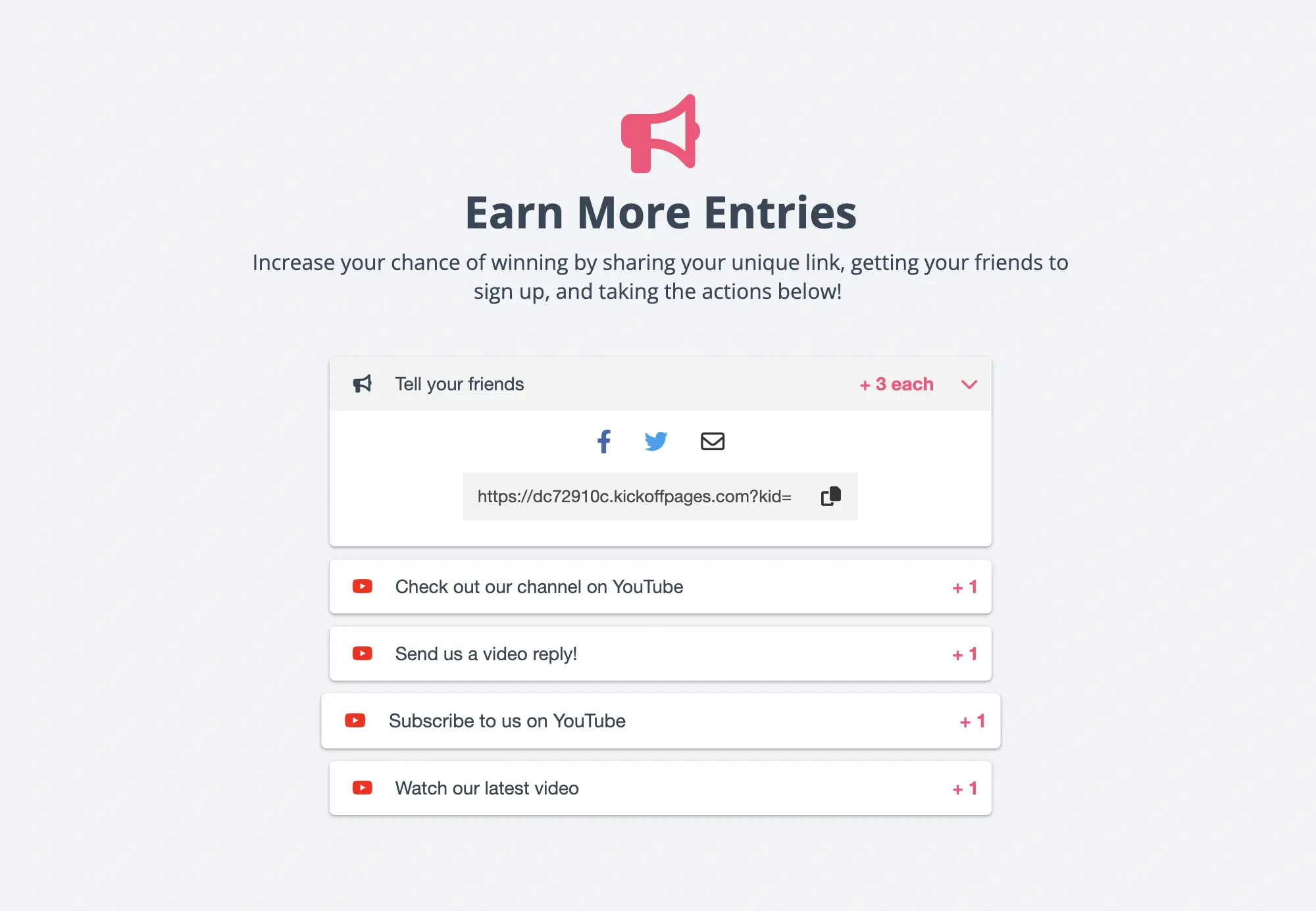
People get one entry for joining. Then they can earn more entries for actions like referring a friend, following you on Instagram, watching a video, answering a question, or joining your newsletter.
KickoffLabs Contest Actions and Referral Tracking are built for this exact mechanic.
Skill-based contest
Ask viewers to submit a video, photo, remix, story, or other creative entry if you want user-generated content.
You’ll get fewer entries because the ask is bigger. That’s not bad. The people who do enter are usually more invested.
Use judges or a clearly defined voting process. Do not pretend a judged contest is random if it is not.
Reward-level campaign
If you want sustained sharing over several weeks, use reward levels. Instead of one random winner, participants unlock guaranteed rewards when they hit milestones.
For example: refer 3 friends and get a sticker pack. Refer 10 and get early access. Refer 25 and get a signed product or VIP session.
This works well for product launches, creator communities, courses, and merch drops.
How to run a successful YouTube giveaway
1. Set one primary goal
Do not run a giveaway for “engagement.” That word is too vague to be useful.
Pick the one metric that matters most:
- Email subscribers
- YouTube subscribers
- Product waitlist signups
- Referral shares
- Sales leads
- Event registrations
- Social follows
You can track secondary metrics, but the campaign needs one main job. Otherwise your landing page, prize, video script, and follow-up emails will all pull in different directions.
2. Choose a prize your real audience wants
A generic cash prize gets entries. It also attracts people who will never watch another video, buy your product, or care about your brand.
Pick a prize connected to your audience.
Good YouTube giveaway prizes include:
- Your product or a premium bundle.
- A limited-edition merch drop.
- A creator consultation or coaching session.
- Gear your audience already wants.
- VIP access, early access, or a behind-the-scenes experience.
- A partner prize from a brand your viewers trust.
The prize should make your best viewer say, “That was made for me.”
3. Build a dedicated giveaway landing page
Your YouTube video should not be the only source of truth.
Create a landing page with:
- A clear headline.
- The prize and why it matters.
- A simple entry form.
- The deadline and winner announcement date.
- Official rules and eligibility notes.
- Bonus-entry actions.
- Share links after signup.
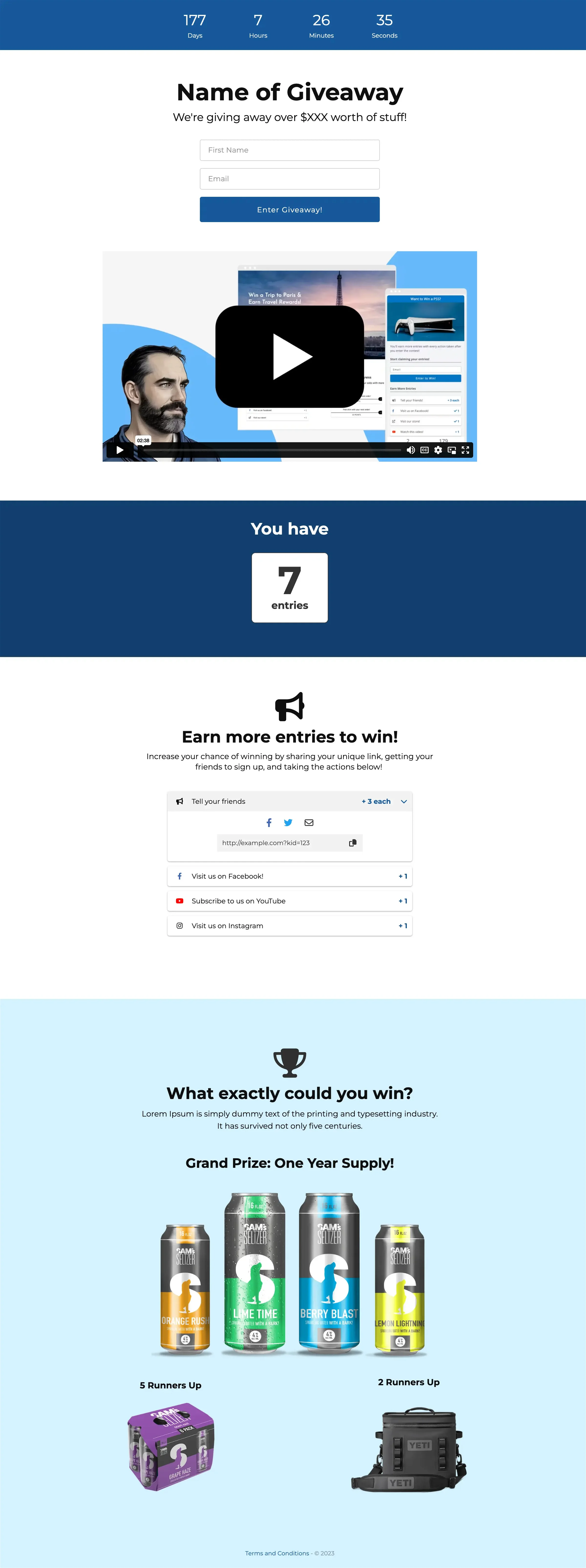
A landing page also gives you a clean link for your video description, pinned comment, Shorts, community posts, Instagram bio, email list, and partner promotions.
Browse giveaway landing page templates →
4. Announce the giveaway in the video like a campaign, not a footnote
Do not bury the giveaway in the last 15 seconds after half the viewers have left.
Mention it early, make the prize visible, and explain the next step in plain language:
“I’m giving away this full setup. Click the link in the description, enter your email, and you’ll get bonus entries every time a friend signs up through your link.”
Then repeat the CTA near the end.
Put the campaign link in the description, pinned comment, end screen, and community post. If you are using Shorts, send viewers to the same campaign page instead of making them hunt for it.
5. Use bonus actions carefully
Bonus actions work because they give motivated viewers more ways to participate.
But do not add every possible action. Too many tasks make the campaign feel like homework.
For a YouTube giveaway, good bonus actions are:
- Refer a friend.
- Subscribe to the channel.
- Watch a specific video.
- Follow on Instagram, TikTok, or X.
- Join the email list.
- Answer a short qualifying question.
Use Contest Actions to keep these organized and fraud detection to reduce fake entries.
6. Write rules before you promote
YouTube giveaways still need rules.
At minimum, define:
- Who is eligible.
- Start and end dates.
- How to enter.
- Whether a purchase is required. For sweepstakes, it should not be.
- How the winner will be selected.
- When the winner will be contacted.
- What happens if the winner does not respond.
- Any country, state, age, or shipping restrictions.
Also review YouTube’s current contest policies and your local promotion laws. Start with our contest law best practices, U.S. giveaway laws, and state-by-state giveaway law guide.
This is not legal advice. It is the part where you avoid creating a mess for future you.
7. Promote beyond one upload
Your launch video starts the campaign. It should not be the entire campaign.
Promote the giveaway across:
- YouTube Community posts.
- Shorts.
- Your email list.
- Instagram Stories and Reels.
- TikTok.
- X or Threads.
- Partner newsletters.
- Your website or link-in-bio page.
Use one campaign page so every channel sends people to the same place. That makes source reporting cleaner and helps you see which audiences actually convert.
8. Pick a winner cleanly
Set the closing date before launch. Then stick to it.
If you use KickoffLabs, you can pick a winner from the campaign instead of exporting a spreadsheet and hoping you did not miss duplicates.
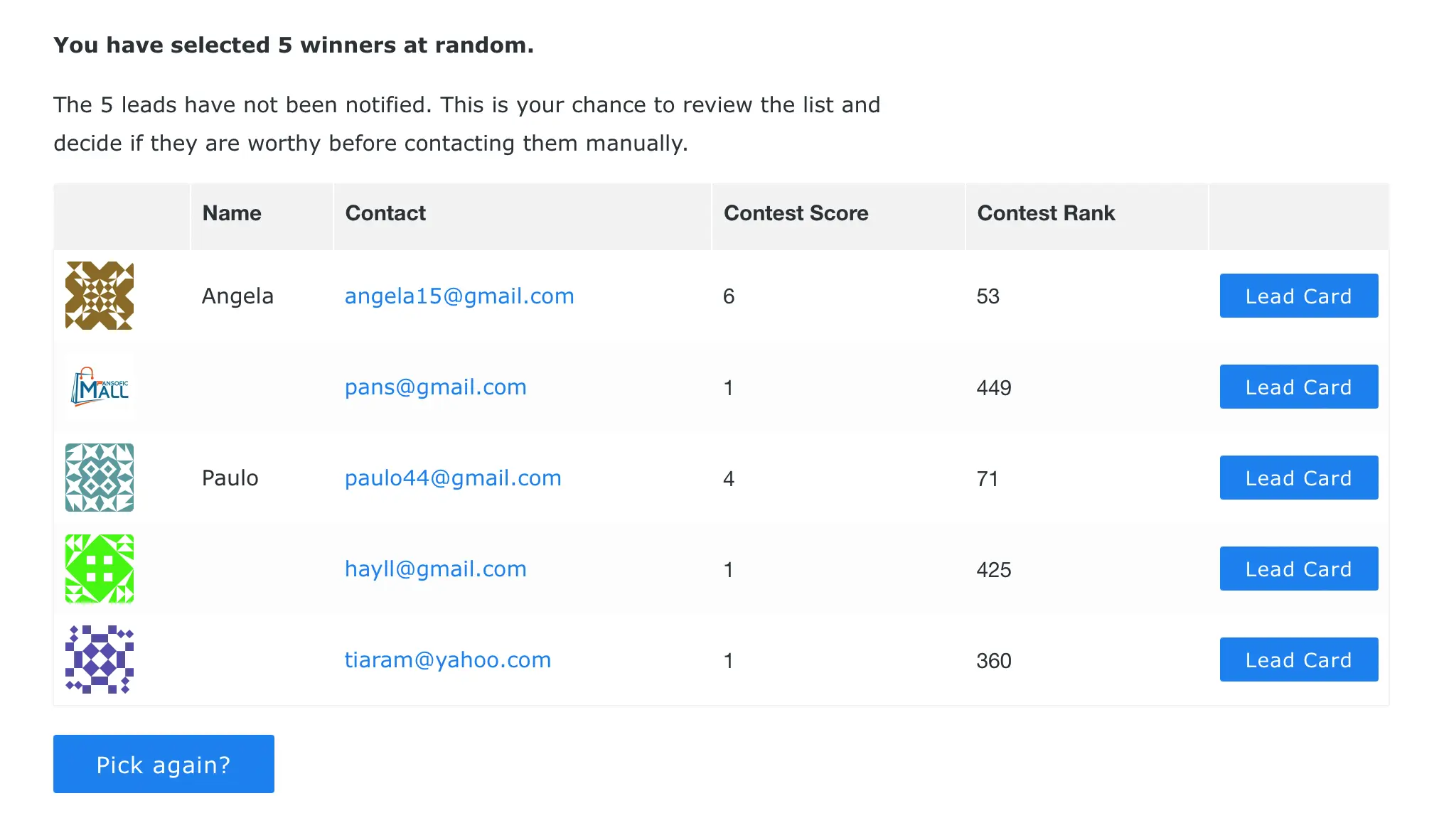
Contact the winner through the email they used to enter. Give them a response deadline. After confirmation, announce the winner publicly in the way your rules describe.
9. Follow up with everyone else
Most entrants will not win. That does not mean the campaign is over.
Send a short follow-up sequence:
- Thank them for entering.
- Announce the winner.
- Share a consolation offer, waitlist invite, or useful resource.
- Invite them into your next campaign or product launch.
This is where the campaign pays off. You now have a list of people who raised their hand around a specific topic, prize, or product.
YouTube giveaway setup checklist
Before you publish, make sure you have:
- A prize your real audience wants.
- A campaign goal and primary metric.
- A dedicated landing page.
- A video CTA, description link, and pinned comment.
- Official rules and eligibility notes.
- Bonus actions that support the goal.
- Referral sharing turned on.
- Fraud checks enabled.
- Winner-selection process ready.
- Follow-up emails written.
Grow your YouTube audience with a real giveaway funnel
A YouTube giveaway can grow subscribers. But the smarter play is using the giveaway to build an audience you can reach again.
KickoffLabs gives you the landing page, referral links, bonus actions, fraud controls, email capture, and winner-picking workflow in one place.